Most Ring doorbells run on a battery or a low-voltage doorbell transformer, but there is one model built for people who never want to think about power or Wi-Fi drops again. The ring video doorbell elite is the only Ring doorbell that uses Power over Ethernet, drawing both electricity and a wired network connection through a single Ethernet cable. That makes it the most reliable and most professional-grade option in the lineup, and also the most involved to install. This guide covers who the Elite is really for, what the wiring demands, and how it stacks up against Ring’s simpler wired doorbells.
Part of our Windows & Doors guide — explore the full guide →
- What Sets the Elite Apart
- Ring Video Doorbell Elite Specifications
- What You Need to Install It
- Step-by-Step Installation Overview
- Faceplates and Design Flexibility
- Ring Elite vs. Ring Wired and Pro Models
- Ongoing Costs and the Ring Subscription
- PoE Hardware and Wiring Details
- Video, Storage, and App Features
- Existing Chime and Smart-Home Integration
- Is the Ring Video Doorbell Elite Worth It?
What Sets the Elite Apart
The defining feature is Power over Ethernet, or PoE. Instead of tapping into an existing doorbell transformer or relying on a rechargeable battery, the Elite is fed by a single Cat5e or Cat6 Ethernet run that carries both power and a hardwired data connection. That means no Wi-Fi congestion, no dropped video during a router hiccup, and no battery to recharge every few weeks.
For homes and small businesses where doorbell reliability is non-negotiable, a wired network connection is a meaningful upgrade over Wi-Fi. Video streams start faster, motion alerts arrive without the lag that plagues weak-signal battery doorbells, and the device stays online through Wi-Fi outages as long as your router and network are powered.
Ring Video Doorbell Elite Specifications
The Elite pairs a clean flush-mount design with solid, if not bleeding-edge, camera hardware. The core specs:
- Video resolution: 1080p HD with HDR
- Field of view: wide-angle coverage of your entry and porch
- Power: Power over Ethernet (PoE), 802.3af standard
- Connectivity: hardwired Ethernet, no reliance on Wi-Fi
- Night vision: infrared for clear low-light footage
- Two-way audio: talk to visitors from the Ring app
- Design: flush-mount body that sits nearly flat against the wall
- Faceplates: four interchangeable colors to match your trim
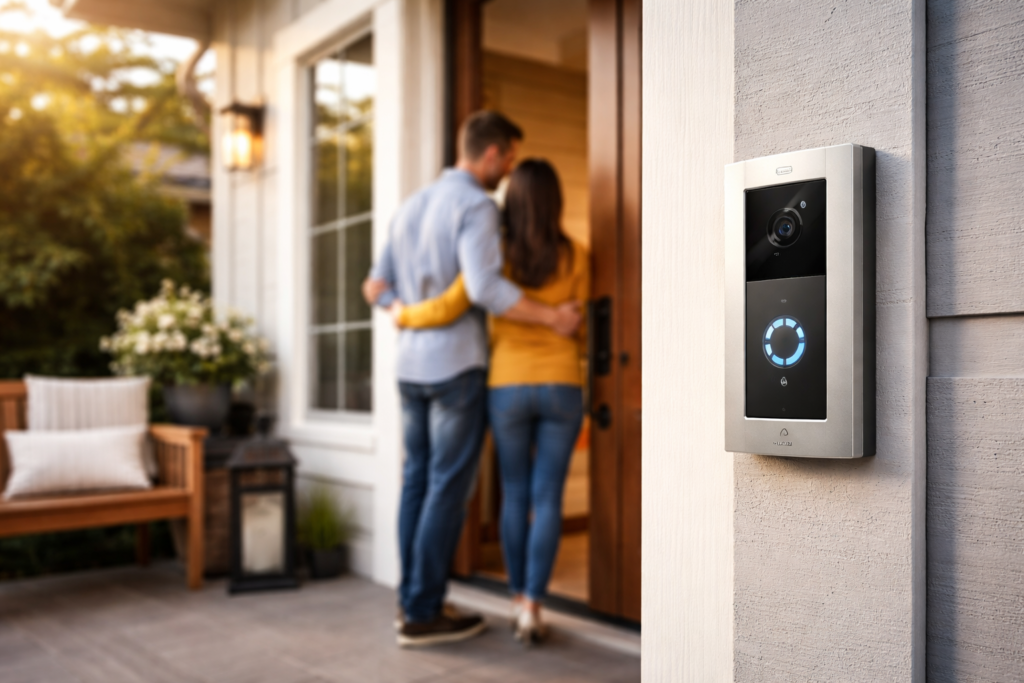
The flush-mount design is a genuine aesthetic advantage. Instead of protruding off the door frame like most doorbells, the Elite recesses into the wall for a tidy, built-in look that suits modern and high-end homes.
What You Need to Install It
This is not a peel-and-stick doorbell. Installing the Elite properly requires infrastructure that most homes do not have out of the box, so plan before you buy.
- An Ethernet cable run from your router or network switch to the doorbell location
- A PoE source: either a PoE-capable network switch or a separate PoE injector
- A recessed opening in the wall to accept the flush-mount back box
- Basic low-voltage wiring skills or a professional installer
If you do not already have Ethernet at the door, you will need to fish a cable through the wall, which is the hardest part of the job. In new construction or during a remodel this is trivial to plan for; in an existing finished wall it can mean drilling and pulling cable. Many buyers hire a low-voltage installer for a few hundred dollars rather than tackle the wall work themselves.
Step-by-Step Installation Overview
Assuming you have an Ethernet run in place, the physical install follows a logical sequence. Always cut power to any nearby circuits you are working around first.
- Cut the recessed opening in the wall to fit the included back box
- Run the Ethernet cable into the opening and terminate it with an RJ45 connector
- Mount the back box securely into the wall opening
- Connect the Ethernet cable to the doorbell and confirm PoE power at the switch or injector
- Seat the doorbell into the back box and secure it
- Snap on your chosen faceplate
- Add the device in the Ring app and complete network setup
Because power and data both come through the single cable, there is no transformer to wire and no battery to charge, which simplifies the electrical side considerably once the cable is run.
Faceplates and Design Flexibility
The Elite ships with interchangeable faceplates in multiple finishes so the doorbell blends with your exterior rather than standing out. Swapping a faceplate takes seconds and lets you match brick, painted trim, or modern metal accents.
The flush profile is the real design win here. Protruding doorbells collect dust on their top edge and can look like an afterthought bolted to the frame. The Elite sits flush with the wall surface for a clean, integrated appearance that reads as part of the home rather than an add-on gadget. For custom builds and design-focused renovations, that matters.
Ring Elite vs. Ring Wired and Pro Models
The Elite is not the right pick for everyone, and Ring’s cheaper wired models cover most needs. The key differences come down to power source and reliability.
The standard Ring wired and Pro doorbells run off an existing 16-to-24-volt doorbell transformer and connect over Wi-Fi. They install in under an hour on any home that already has doorbell wiring, and they cost far less. The trade-off is Wi-Fi dependence: weak signal at the door means laggy alerts and choppy streams.
The Elite eliminates that Wi-Fi variable entirely with a hardwired connection, but it demands Ethernet infrastructure and a bigger install effort. Choose the Elite when you want maximum reliability, a flush architectural look, and you either have Ethernet at the door or are building or remodeling. Choose a wired or Pro model when you want an easy upgrade on existing doorbell wiring.
Ongoing Costs and the Ring Subscription
Like all Ring cameras, the Elite records and saves video only with a Ring Home subscription (formerly Ring Protect). Without it, you get live view and real-time alerts but no recorded history to review later. Plans start at a modest monthly fee per device, with a whole-home tier that covers multiple cameras.
Factor that recurring cost into your decision. The subscription is what lets you scroll back through motion events, share clips, and keep a rolling record of who came to your door. For a premium doorbell like the Elite, most owners consider the subscription essential to getting full value from the hardware.
PoE Hardware and Wiring Details
The Elite draws power on the 802.3af PoE standard, which delivers up to 15.4 watts at the switch port (about 12.95 watts at the device after cable loss). Any 802.3af, 802.3at (PoE+), or 802.3bt port will run it — a $20 to $40 single-port PoE injector is the cheapest way to add power if your existing switch is not PoE-capable. Run Cat5e or Cat6 solid-core cable, and keep the total run under the 328-foot (100-meter) Ethernet limit, which covers essentially any residential door location from the network closet.
Terminate the cable with a standard RJ45 plug using the T568B pinout, and test it with a $15 cable tester before you close up the wall — a single miswired pair is the most common reason the doorbell will not power on after install. If you are pulling new cable, leave a few feet of service loop coiled in the wall so you have slack to work with. For outdoor cable segments, use direct-burial or outdoor-rated jacket and add a surge protector or PoE-rated gas-discharge unit at the entry point to guard against lightning transients on the line.
Video, Storage, and App Features
The Elite records 1080p HD with HDR and a wide field of view that captures a visitor head to toe from the typical mounting height of 48 inches. Infrared night vision gives clear grayscale footage in full darkness, and the hardwired connection means motion clips upload without the buffering lag that hobbles weak-Wi-Fi battery doorbells. Two-way talk lets you speak to a delivery driver from the Ring app or an Alexa-enabled Echo Show, which pops up a live feed automatically when the button is pressed.
- Motion zones: draw custom detection areas to ignore the sidewalk and watch only the porch
- Pre-roll: a few seconds of footage captured before the trigger, so you see the lead-up to an event
- Live view: pull up the camera any time without waiting for a trigger
- Rich notifications: a thumbnail preview in the alert so you can triage from the lock screen
- Linked devices: chain the doorbell to Ring cameras and floodlights to record together
Existing Chime and Smart-Home Integration
Because the Elite is powered over Ethernet rather than a doorbell transformer, it does not ring a traditional in-wall mechanical chime the way Ring’s transformer-wired models can. To hear an audible ring indoors, pair it with a plug-in Ring Chime or Chime Pro (about $30 to $50), or route alerts through Alexa Echo speakers, which announce visitors and play a chime tone throughout the house. Many owners run several Echo devices as a whole-home audible network, which also unlocks live two-way talk from any room.
On the smart-home side, the Elite works within Amazon Alexa natively and integrates with a range of platforms through Ring’s ecosystem. It does not natively support Apple HomeKit, so households committed to HomeKit should factor that in. For an Alexa household, though, the integration is seamless and turns the doorbell into a genuine hub of the front-door experience.
Is the Ring Video Doorbell Elite Worth It?
The Elite is a niche but excellent product for the right buyer. If you value rock-solid reliability, want a flush architectural look, and can supply an Ethernet run with PoE, nothing else in Ring’s lineup matches its hardwired stability. It is the doorbell to spec into new construction and high-end remodels. For the average homeowner with existing doorbell wiring and decent Wi-Fi, though, a standard Ring wired doorbell delivers 90 percent of the experience at a fraction of the installation effort and cost.