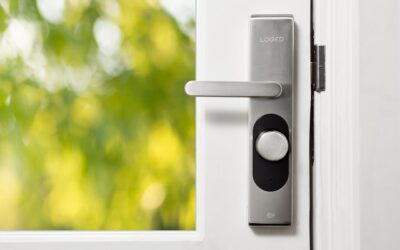
The Yale Assure Lock 2 smart lock is one of the most flexible deadbolts you can buy because Yale sells it as a system rather than a single product. You choose the keypad style, whether you want a physical key or a keyless version, and which connectivity module lives inside the interior housing. That modular approach means one lock family can fit a $160 budget or a $280 smart-home setup, and you can upgrade the radio later without replacing the whole lock.
For homeowners who want the classic Yale name with modern app control, the Assure Lock 2 hits a sweet spot. Below is how the versions, modules, and installation actually break down on a standard door.
Keypad Versus Touchscreen: Picking the Front Face
Yale offers two main exterior styles. The push-button keypad has raised, physical buttons and a satisfying click, which many people prefer in cold climates where gloved fingers struggle with glass. The touchscreen version presents a smooth capacitive pad that lights up when you tap it and wipes clean easily, hiding fingerprint smudges that would otherwise reveal your most-used digits.
Both accept 4-to-8-digit codes and support up to 250 unique user codes, which is generous for a family plus dog walkers, cleaners, and guests. There is also a key-free option that removes the exterior keyway entirely for a sleek look, and a keyed version if you want a physical backup. Keep in mind that a keyless lock relies on the interior 4 AA batteries; if they die, you jump-start it by holding a 9-volt battery against the exterior terminals, so it is not truly lockout-proof.
The Module System: Wi-Fi, Z-Wave, and Matter
Connectivity is where the Assure Lock 2 gets interesting. The lock ships Bluetooth-only by default, meaning you can control it from your phone when standing near the door. To unlock it remotely or tie it into a smart-home hub, you add one of three swappable modules that snap into the interior housing:
- Wi-Fi module — connects directly to your 2.4 GHz home network so you can lock, unlock, and check status from anywhere through the Yale Access app. This is the right choice for most people who just want remote control without a separate hub.
- Z-Wave Plus module — links the lock to a security or automation hub like Ring Alarm, SmartThings, or a HomeSeer controller. Z-Wave shines when you want the lock to participate in scenes, such as arming an alarm and locking the door together.
- Matter module — the newest option, letting the lock join Apple Home, Google Home, Amazon Alexa, and SmartThings over the shared Matter standard using Thread. This future-proofs the lock across ecosystems.
Modules run roughly $30 to $80 depending on type, and swapping one takes about two minutes with a single screw. If you buy the Wi-Fi bundle up front, expect to pay around $180 to $210; the touchscreen with Wi-Fi typically lands near $260.
Does It Fit Your Door?
The Assure Lock 2 is a deadbolt replacement designed for standard doors, which covers the vast majority of American exterior doors. It fits doors from 1-3/8 to 1-3/4 inches thick with a standard 2-3/8 or 2-3/4 inch backset and a 1-inch bore hole. If your current deadbolt is a normal round one from Kwikset, Schlage, or Yale, this lock drops into the same hole.
Measure the backset before ordering: that is the distance from the door edge to the center of the bore. The included latch adjusts to both common backsets, so you rarely need extra parts. Doors with unusual mortise hardware or narrow stiles on glass storm doors are the main exceptions, and Yale makes a separate mortise-compatible line for those.
Installation on a Standard Door
Most homeowners install the Assure Lock 2 in 20 to 30 minutes with just a Phillips screwdriver. The process runs like this:
- Remove your old deadbolt, taking out the two long screws on the interior side and pulling both halves free.
- Slide in Yale’s adjustable latch and secure it to the door edge with the two provided screws.
- Set the exterior keypad in place, feeding the ribbon cable through the bore hole.
- Mount the interior assembly, connect the cable, and drive the two mounting posts and screws.
- Drop in the 4 AA batteries, snap on the cover, and run the guided calibration in the Yale Access app so the lock learns its locked and unlocked positions.
The single most important step people skip is checking that the deadbolt throws smoothly by hand before mounting the lock. If the bolt binds against a misaligned strike plate, the motor will struggle and drain batteries fast. Adjust the strike plate first, and the motorized bolt will glide.
Living With the Lock Day to Day
Battery life on the 4 AA cells typically runs 6 to 12 months depending on how often the lock cycles and whether the Wi-Fi module is drawing power. Auto-lock can relock the door after a set delay of 30 seconds to several minutes, and auto-unlock uses your phone’s location to open the door as you walk up, though many owners disable that feature because geofencing can trigger from inside the house.
The Yale Access app logs every entry with a timestamp and user name, so you can see exactly when the kids got home or when the cleaner arrived. You can also issue temporary codes that expire on a schedule, which is handy for short-term rentals or a contractor working a specific week.
How It Compares to Schlage and August
The natural cross-shop is the Schlage Encode Plus, which builds Wi-Fi and Apple Home Key into a single lock for around $280 to $300. The Encode uses a stronger BHMA Grade 1 mechanical rating versus the Yale’s Grade 2, so if raw physical toughness is your priority, Schlage edges ahead. The Yale answers with lower entry pricing, a slimmer profile, and the swappable module system, which lets you buy in cheap and upgrade the radio later instead of replacing the whole lock.
Yale also owns August, and the Assure Lock 2 shares the Yale Access app with August locks. If you liked August’s retrofit approach but wanted a full deadbolt replacement with a keypad, the Assure Lock 2 is essentially that product with Yale’s name on the front. For a household already invested in Apple Home, note that Yale’s Matter module brings Home Key-style tap-to-unlock into reach, closing much of the gap with Schlage’s marquee feature.
Security and Real-World Durability
The exterior housing carries an ANSI/BHMA Grade 2 residential security rating, which is the standard tier for most home deadbolts. The bolt throws a full 1 inch into the strike, and Yale hardens the lock against bumping and picking better than a basic builder-grade deadbolt. For the touchscreen and keypad models, a tamper feature can lock out entry attempts after several wrong codes, and the app alerts you to forced-entry events when a compatible module is installed.
One practical durability note from installers: the exterior keypad is the part that faces weather, and while it is weather-resistant, a fully exposed door with no overhang in a rainy or coastal climate benefits from a small storm awning to extend the electronics’ life. On a covered porch, owners routinely report five-plus years of trouble-free service. Keep the batteries fresh with a quality alkaline set rather than bargain cells, since cheap batteries sag under the motor’s momentary current draw and can cause false low-battery warnings.
Is the Assure Lock 2 Worth It?
For a homeowner who values choice, the Yale Assure Lock 2 is hard to beat. The modular radio means you are not locked into one smart-home platform, the keypad and touchscreen options suit different tastes, and the install is genuinely DIY-friendly on any standard door. Budget the base Bluetooth model near $160, a Wi-Fi bundle around $200, and add a Matter or Z-Wave module if your smart-home plans grow. Given that a decent traditional deadbolt already costs $40 to $70, paying a bit more for keyless entry, remote control, and full access logs is an easy upgrade to justify.