The first arcade cabinet usually goes against a basement wall with no plan at all. The third one is when the problems show up: tripped breakers, a room that feels like a sauna, and a heavy machine nobody can move without scraping the floor. The best arcade room ideas solve those practical issues first, then layer on the fun stuff like neon, posters and checkerboard floors.
In short, a good home arcade needs four things: enough floor space for players to stand side by side, dedicated electrical circuits with surge protection, a way to get heat out of the room, and lighting that does not glare off the screens. Plan those before you buy your next machine, and the room will keep working as the collection grows.
- Arcade Room Ideas for Layout and Cabinet Spacing
- Electrical Load and Dedicated Circuits
- Floor Load and Moving Heavy Cabinets
- Ventilation and Heat
- Lighting and Screen Glare
- Retro Gaming Decor and Finishing Touches
- Troubleshooting Common Arcade Room Problems
- General Cost Ranges
- When to Call a Licensed Professional
- Frequently Asked Questions
- How much space do I need for a home arcade?
- Do arcade machines need a dedicated circuit?
- Can arcade cabinets go on an upper floor?
- Should arcade cabinets be anchored to the wall?
- What is the best lighting for a game room with screens?
- How do you set up an arcade in a small room?
- Can you put arcade machines in a garage?
- How do you soundproof a home arcade room?
We cover the whole room. If you only need flooring, that is a separate decision, but floor load and surface do come up here because full-size cabinets are heavy and they get moved more often than you would expect.
Arcade Room Ideas for Layout and Cabinet Spacing
A standard upright cabinet is roughly 25 to 30 inches wide and 30 to 36 inches deep, and it stands around 6 feet tall. Sit-down driving cabinets, cocktail tables and pinball machines all have different footprints, so measure each one, including any control panel overhang.
Spacing guidelines
- Side-by-side uprights: leave a few inches between cabinets for airflow and cable access. Packed shoulder to shoulder, they trap heat.
- Player zone: allow about 3 to 4 feet of clear floor in front of each upright so someone can stand, step back and watch.
- Pinball: a pinball machine is long, about 4.5 to 5 feet with the backbox, and players need space at the front plus access at the back for service.
- Two-player cabinets: wider control panels need wider standing room, closer to 4 feet of clearance.
- Walkways: keep a main path at least 36 inches wide so guests can move without bumping players.
Common layouts
Wall line: cabinets lined along one or two walls with the center open. Simple and good for small rooms, but heat builds up along the wall.
Island row: a back-to-back row in the middle of a larger room. It looks like a real arcade and gives each machine breathing room, but you need power in the floor or a tidy cable route.
Zones: separate areas for pinball, uprights and a lounge or bar. Zoning also helps you spread electrical load across circuits.
Pull each cabinet a few inches away from the wall. Most have vents in the back, and the gap also makes it easier to reach the power switch and the service door.
Electrical Load and Dedicated Circuits
Electrical planning is where home arcades most often go wrong. A single older cabinet with a tube monitor can draw a noticeable amount of power, and pinball machines and multi-game cabinets add up quickly. Put several on one general-purpose circuit that also feeds the basement lights and a TV, and you will trip breakers or, worse, overheat a circuit.
Plan the load before you plug in
- Check the label or manual on each machine for its wattage or amperage.
- Add up the total for the machines you own and the ones you plan to buy.
- Share the list with a licensed electrician, who can tell you how many dedicated circuits the room needs and where outlets should go.
Adding circuits, new outlets or a subpanel is work for a licensed electrician, not a weekend DIY project. The electrician will pull any permits your area requires and make sure the panel has capacity. In basements, outlets often need GFCI protection, and the electrician will know where your local code calls for it.
Surge protection and cord safety
- Use quality surge protectors with a clear joule rating to protect boards and monitors. Whole-house surge protection installed at the panel by an electrician adds another layer.
- Do not daisy-chain power strips or plug one surge protector into another.
- Avoid running extension cords under rugs or across walkways where they overheat or become trip hazards.
- Keep cords out of pinch points behind cabinets so they are not crushed when a machine is pushed back.
- A smart power-off routine, like a switched outlet strip per zone, makes it easy to shut everything down at night.
Working inside cabinets
Arcade machines contain power supplies and, in older units, tube monitors that can hold a dangerous charge long after the machine is unplugged. Leave monitor and power supply repairs to a qualified technician. For anything else inside a cabinet, unplug the machine first. If you are replacing an outlet or touching any household wiring, turn off the breaker and confirm power is off with a non-contact voltage tester, and never work on powered circuits.
Floor Load and Moving Heavy Cabinets
Full-size uprights often weigh 250 to 350 pounds, and pinball machines can be in a similar range. A row of machines concentrates a lot of weight on a small area. On a concrete basement slab, that is rarely a structural concern. On an upper floor over joists, ask a contractor or structural engineer before lining up several heavy machines in one spot, especially in older homes.
Two-person moves only
- Never move a full-size cabinet alone. Use two people and an appliance dolly with straps.
- Remove the back door or marquee glass if the manual recommends it, and secure loose parts.
- Tilt slowly, keep your back straight and lift with your legs.
- On stairs, use a stair-climbing dolly or hire movers who handle pianos or arcade equipment.
Anti-tip and stability
Tall cabinets are top heavy, and kids love to climb or hang off control panels. Anchor tall uprights to wall studs with furniture anti-tip straps, especially in homes with children. Adjust leveling feet so the cabinet sits flat and does not rock. Use felt or furniture sliders under feet on hard floors to protect the surface and make small adjustments easier.
For the floor itself, durable surfaces like luxury vinyl, sealed concrete, rubber tile or commercial carpet tile hold up well to cabinet weight and foot traffic. Soft, plush carpet can let feet sink and makes cabinets harder to slide.
Ventilation and Heat
Every machine is a small heater. Ten machines running for an evening, plus a crowd of guests, can make a closed basement room uncomfortable fast. Heat also shortens the life of electronics and monitors.
- Ask an HVAC pro if the existing system can handle the added heat, or if the room needs an additional supply and return.
- Keep supply and return vents unblocked by cabinets.
- Use ceiling fans or quiet wall fans to move air, keeping them clear of players’ heads.
- A dehumidifier helps in basements, where humidity can corrode boards and connectors.
- Leave space behind and between machines so their own fans can work.
If you add a portable cooling unit, plug it directly into a wall outlet on its own circuit, and follow the maker’s clearance instructions.
Lighting and Screen Glare
Real arcades are dark for a reason: screens look brighter and colors pop when the room is dim. At home, you still need enough light to walk safely and find the coin door.
- Use dimmable recessed or track lighting aimed at walkways, not at screens.
- Put LED strip lighting behind cabinets or along the ceiling edge for glow without glare. Use a listed power supply sized for the strip with headroom, and do not coil or cover the strips.
- Keep windows covered with blackout shades, since daylight washes out monitors.
- Choose matte wall paint in dark colors to cut reflections.
- Light the floor along steps and changes in level so guests do not trip in the dark.
New hardwired light fixtures or switches should be installed by a licensed electrician. If you swap an existing fixture where rules allow it, turn off the breaker and confirm power is off with a non-contact voltage tester first.
Retro Gaming Decor and Finishing Touches
Once the infrastructure is solid, the decor is where your personality shows. Retro gaming decor can be as simple as framed game posters or as bold as a full mural.
- Walls: dark paint, black or deep navy, with neon accent signs. A single feature wall with a pixel-art mural keeps the room from feeling cramped.
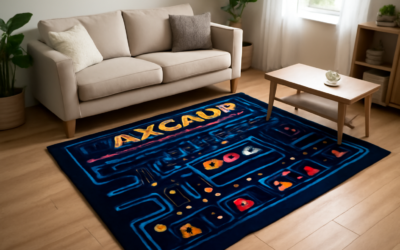
- Floors: carpet tiles with a classic cosmic or geometric pattern, or a checkerboard vinyl floor.
- Seating: a few bar stools for sit-down games and a small lounge area for spectators.
- Storage: wall shelves for consoles, cartridges and spare parts, plus a small locked cabinet for tools.
- Snack bar: a counter with stools turns the room into a hangout. Keep drinks away from control panels.
One rule for a family home: keep the collection to amusement and skill games. Skip gambling machines, which can be restricted or illegal to own or operate in many places and are not a good fit for a room the kids will use.
When you shop for an arcade cabinet, consider multi-game uprights for small rooms. One cabinet with a large game library saves floor space and power compared with several single-game machines.
Troubleshooting Common Arcade Room Problems
Breakers tripping: too much load on one circuit. Unplug a few machines and call an electrician to plan dedicated circuits.
Room too hot: machines packed together or blocked vents. Spread them out, add airflow and talk to an HVAC pro.
Screens look washed out: too much ambient light or glare. Dim the room and redirect fixtures.
Cabinets wobble: uneven floor or unadjusted feet. Level each machine and anchor tall cabinets to studs.
Noise complaints from upstairs: add insulation in the ceiling and use area rugs or carpet tile to absorb sound.
General Cost Ranges
The budget for a home arcade varies widely. Used cabinets and pinball machines range from a few hundred dollars to several thousand, depending on condition and rarity. Electrical work for dedicated circuits typically runs from a few hundred dollars per circuit to more if the panel needs an upgrade. Lighting, paint, flooring and decor can be done cheaply with paint and posters or can cost thousands with custom murals and commercial flooring. Ask for written quotes for any electrical or HVAC work.
When to Call a Licensed Professional
Hire a licensed electrician for new circuits, outlets, a subpanel, whole-house surge protection or any hardwired lighting. Call an HVAC contractor if the room overheats or lacks supply and return air. Bring in a structural engineer or contractor before stacking heavy machines on an upper floor of an older home. For tube monitor repairs, use a qualified arcade technician. Permits may be required for electrical and HVAC changes, and pros will handle them.
With those pieces in place, you can keep adding machines without the room fighting back, and that is what separates thoughtful arcade room ideas from a cluttered basement.
Frequently Asked Questions
How much space do I need for a home arcade?
Plan about 3 feet of width per upright cabinet including breathing room, and 3 to 4 feet of standing space in front. A 12 by 15 foot room can comfortably hold four to six machines plus a small seating area.
Do arcade machines need a dedicated circuit?
Several machines on one general-purpose circuit can trip breakers or overload wiring. Total the wattage of your machines and have a licensed electrician add dedicated circuits as needed.
Can arcade cabinets go on an upper floor?
One or two cabinets are usually fine, but rows of heavy machines concentrate weight. Ask a contractor or structural engineer before placing several on an upper floor, especially in an older house.
Should arcade cabinets be anchored to the wall?
Yes, tall uprights are top heavy, so anchor them to wall studs with anti-tip straps, particularly if children use the room. Level the feet so the cabinet does not rock.
What is the best lighting for a game room with screens?
Dim, indirect lighting works best. Aim fixtures at walkways, use LED accent lighting behind cabinets, and block daylight so screens stay vivid without glare.
How do you set up an arcade in a small room?
Favor compact machines: a multi-game upright, a bartop or countertop cabinet on a sturdy table, or a cocktail cabinet that doubles as a coffee table. Line machines along one wall to keep the center open, and still leave about 3 feet of standing room in front of each. Wall shelves for consoles and a dark, matte paint color keep a small room from feeling crowded.
Can you put arcade machines in a garage?
Yes, but an unconditioned garage is hard on them. Big temperature swings, humidity, and dust can corrode boards and connectors and stress monitors, and cold can make plastic parts brittle. If the garage will hold machines, insulate it, add heating and cooling, keep the floor dry, and cover cabinets when not in use. Have a licensed electrician check that outlets and circuits can handle the load.
How do you soundproof a home arcade room?
Start with mass and gaps: add insulation in the ceiling and walls, use a solid-core door with weatherstripping, and seal gaps around outlets and ducts. Inside the room, area rugs, rubber or carpet tile flooring, and fabric wall panels absorb the clatter of buttons and sound effects. Keeping cabinet volume moderate and pulling machines off shared walls also helps a lot.