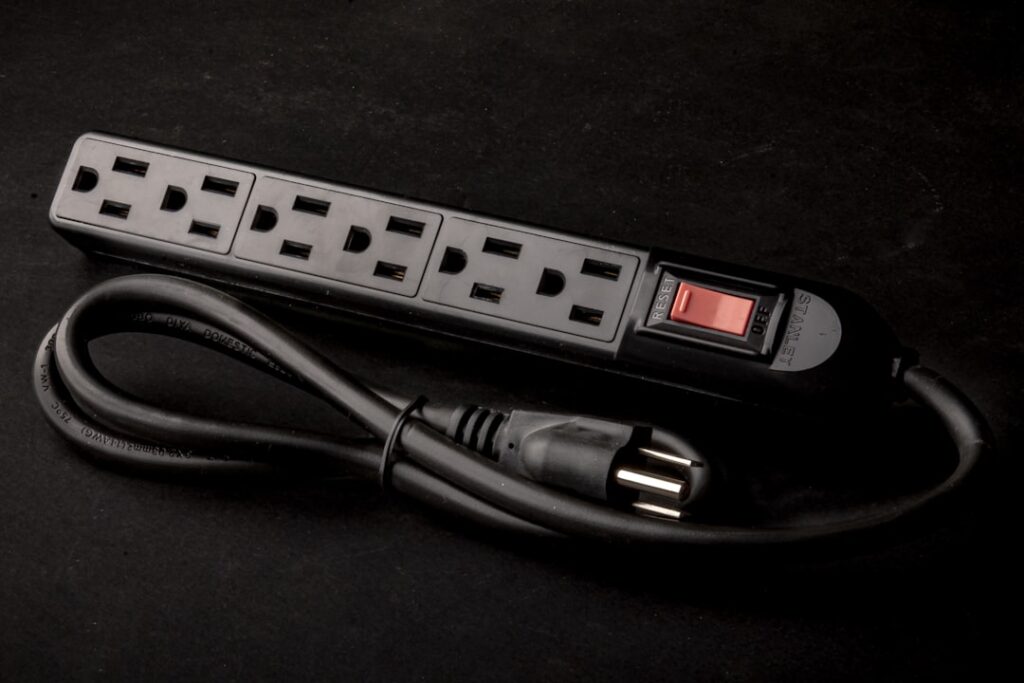
Two outlets, five things to plug in — it’s the oldest problem in any home. An electrical outlet extender is the quick fix: a device that turns your existing receptacle into more outlets, adds USB ports, or moves the plug point a few feet to where you actually need it. Used correctly, it’s convenient and safe. Used carelessly, it’s a fire hazard hiding behind the couch. Here’s how to tell the difference.
- What an Outlet Extender Is
- Common Types of Outlet Extenders
- When an Outlet Extender Makes Sense
- The Load Math You Can’t Ignore
- Safety Rules That Actually Matter
- USB Extenders and Charging Loads
- Extender vs. Adding a Real Outlet
- Extenders and Surge Protection
- Warning Signs You’re Overloading
- Choosing the Right One
What an Outlet Extender Is
The term covers a family of products that all share one goal: get more usable outlets or reach out of the receptacle you already have. Unlike rewiring a new circuit, an extender plugs into or mounts over an existing outlet and requires no work inside the wall — which is exactly why they’re so popular and, occasionally, so misused.
An extender doesn’t create new capacity. Everything you plug into it still draws from the same branch circuit — typically a 15A or 20A circuit protected by a single breaker. Understanding that limit is the whole game.
Common Types of Outlet Extenders
- Wall-tap / multi-plug adapters — plug directly into the receptacle and split it into 3–6 outlets, often with a swivel or side-facing design so plugs don’t collide.
- Outlet extenders with USB — the same tap style but with built-in USB-A/USB-C ports for phones and tablets, cutting down on bulky chargers.
- Extension-cord outlet strips — a short cord ending in a block of outlets, useful when the receptacle is behind furniture. Look for one with a resettable circuit breaker.
- Surge-protecting power strips — a strip with a joule-rated surge suppressor, the right choice for electronics.
- On-wall extenders / outlet shelves — mount over the existing plate with a screw through the center, adding outlets plus a small shelf or USB ports.
- Recessed or in-wall add-a-plug kits — actual receptacle boxes that tap an existing circuit; these are real electrical work, not plug-in gadgets.
When an Outlet Extender Makes Sense
An extender is the right tool when you need to spread a modest, mostly-electronic load across more plug points: a nightstand charging phones and a lamp, a desk with a monitor and laptop, an entertainment center full of low-draw devices. In these cases the total draw is small and the convenience is real.
It’s the wrong tool when the problem is capacity, not plug count. If you’re constantly out of outlets because you run heaters, a window AC, and a microwave in the same room, an extender just concentrates the overload. That situation calls for a new circuit, not a splitter.
The Load Math You Can’t Ignore
Here’s the part people skip. A 15A circuit at 120V can safely deliver about 1,440 watts continuously (80% of its 1,800-watt maximum); a 20A circuit tops out around 1,920 watts continuous. Everything on that circuit — not just the extender — shares that budget.
High-draw appliances eat it fast:
- Space heater: 1,500 watts (12.5A) — essentially maxes a 15A circuit by itself.
- Hair dryer: 1,200–1,875 watts.
- Microwave: 1,000–1,500 watts.
- Window AC: 500–1,500 watts.
Never run two heat-producing appliances off one electrical outlet extender. That’s the classic path to a tripped breaker at best and melted contacts at worst. Reserve extenders for lamps, chargers, and electronics, and give heaters and large appliances their own dedicated outlet.
Safety Rules That Actually Matter
- Never daisy-chain. Plugging a power strip into an extender into another strip defeats the internal breaker and violates most codes and OSHA guidance.
- Look for the listing mark. Buy only UL- or ETL-listed products; cheap unlisted adapters are a real fire risk.
- Match the location. In a bathroom, kitchen, garage, or outdoors, the receptacle itself should be GFCI-protected per NEC 210.8 — an extender doesn’t add that protection.
- Watch for heat. A warm plug, a buzzing adapter, or discoloration means stop using it immediately.
- Don’t overload old receptacles. A loose, worn outlet with a heavy extender hanging off it stresses the connection.
- Keep cords visible. Running an extension strip under a rug traps heat and hides damage.
USB Extenders and Charging Loads
Outlet extenders with built-in USB ports have quietly become the most popular type, and for good reason — a nightstand or desk gains four USB-C ports without a single wall-wart charger. From a load standpoint they’re gentle: a fast USB-C port delivers maybe 20–65 watts, so even a fully loaded USB extender charging four devices draws far less than a single space heater. That makes them a genuinely safe pick for the low-draw electronics they’re designed for. Two things to check when buying: confirm the unit is UL- or ETL-listed (cheap uncertified USB adapters are a real hazard, especially with lithium batteries charging unattended), and look for USB-C Power Delivery if you want to fast-charge a laptop or tablet. Treat the AC outlets on the same extender by the usual rule — chargers and lamps, not heaters.
Extender vs. Adding a Real Outlet
If you find yourself relying on extenders permanently, the smarter fix is adding a receptacle. Under NEC 210.52, living-space walls are supposed to have outlets so no point along the floor line is more than six feet from one — the code’s way of saying you shouldn’t need extension cords everywhere. Adding an outlet by tapping a nearby box or running a new circuit runs roughly $150–$350 per receptacle with an electrician, more for a dedicated circuit back to the panel.
Doing that work yourself means opening a box and connecting to live wiring, so the rules apply: switch the breaker OFF, verify the box is de-energized with a non-contact voltage tester or multimeter, and match wire gauge to the breaker (14 AWG for 15A, 12 AWG for 20A). Many jurisdictions require a permit for new outlets, and a licensed electrician is the right call if you’re tapping an unknown circuit or working near the panel.
Extenders and Surge Protection
A plain multi-outlet extender and a surge protector look alike but do different jobs. A basic wall-tap or power strip just splits power — it offers no protection against voltage spikes from lightning, grid switching, or a large motor cycling on the same circuit. A surge protector adds a metal-oxide varistor that clamps those spikes before they reach your gear. If you’re plugging in anything with a circuit board — a TV, computer, game console, or router — use a surge protector with a joule rating above 1,000 and a clear indicator light that tells you the suppression is still alive. Those components degrade with each hit, and a strip whose light has gone dark is just an expensive splitter. For a space heater or lamp, plain is fine; for electronics, surge protection is worth the few extra dollars.
Warning Signs You’re Overloading
Your home gives you clear signals when an extender is pushing a circuit too hard. Watch for:
- A breaker that trips whenever you run several things at once — the most direct warning.
- An extender, plug, or cord that feels warm or hot to the touch.
- A faint buzzing or crackling from the adapter or receptacle.
- Lights dimming or flickering when an appliance kicks on.
- A burning or plastic smell, or any discoloration on the outlet or plug — stop using it immediately and unplug.
None of these are things to live with. They mean the connection is heating up, and heat at an electrical connection is exactly how fires start. Reduce the load or add a proper circuit.
Choosing the Right One
Match the extender to the job:
- Charging phones and tablets: a wall-tap extender with USB-C.
- Protecting a TV, computer, or console: a listed surge protector with a joule rating over 1,000.
- Reaching a plug behind furniture: a short listed extension strip with its own breaker.
- A tidy bedside or desk setup: an on-wall extender with a shelf.
An electrical outlet extender earns its keep for low-draw convenience, but it can never manufacture capacity that isn’t on the circuit. Respect the wattage budget, buy listed products, skip the daisy chains, and call an electrician when the real answer is another outlet — and you’ll get the convenience without the risk.