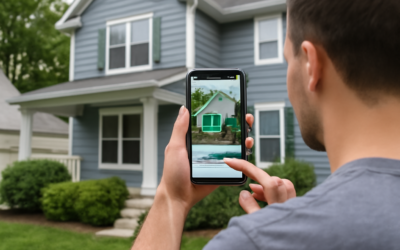
Most homeowners spend $80 on driving to showrooms and lugging home sample boxes before they ever pick a floor — almost all of which could be skipped with a $0 phone app. The right flooring app lets you preview real product textures in your actual lighting, measure rooms without a tape, and request multiple installer bids from a single photo. Having tested dozens of these tools alongside contractors and design clients over the last three years, I can tell you the difference between the apps that genuinely help and the ones that exist only to drop you into a sales funnel.
Room Visualization Apps
The best room visualization tools use augmented reality to render flooring textures on your actual floor through the phone camera. The Shaw Floors Visualizer app and the Mohawk Floor Visualizer both pull from their full product catalogs and let you snap a photo, replace the existing floor digitally, and compare side by side. Both are free on iOS and Android.
The Roomvo Floor Visualizer (used by many independent retailers) lets you upload any catalog photo and replace the floor with thousands of branded products. It is more accurate than the manufacturer-specific apps at handling complex room geometry like staircases and curved walls. Limitations show up in low light — render quality drops fast under indoor evening conditions.
Room Measurement Apps
Apple’s built-in Measure app and Google’s free Measure (Android) handle basic single-room measurements within about 1 to 2 percent of tape accuracy. For complex floor plans with multiple rooms, hallways, and odd angles, dedicated apps work better:
- MagicPlan: Walk a room corner to corner, app captures angles via the gyroscope and generates a floor plan with sq ft. Free for one room, $10 to $30 per month for unlimited
- RoomScan Pro: Tap your phone against each wall in sequence and the app builds the room layout. Around $5 one-time purchase
- Polycam (LiDAR-equipped iPhones): Full 3D room capture in 30 seconds, exports to CAD-compatible files. Free tier covers most homeowner needs
- Houzz Pro Measure: Designed for contractor takeoffs, includes obstacle subtraction and waste-factor calculation
Color and Stain Matching Apps
Matching new flooring to existing trim, cabinets, or adjacent rooms is where many DIY projects fall apart. The Bona Stain Match app uses your phone camera to identify the closest match from the Bona DriFast stain library — useful when you are refinishing existing oak and want to blend rather than start over.
For paint and trim color matching, Sherwin-Williams ColorSnap or Benjamin Moore Color Capture pulls Pantone-style color data from a photo and suggests trim and wall colors to complement a flooring sample. Hold a sample plank under daylight, snap a reference photo, and the app returns coordinating paint and stain options.
Quote and Bidding Apps
Homeowner-facing platforms like Angi (formerly Angie’s List), Thumbtack, and HomeAdvisor connect you with local installers for free quotes. The user experience varies — Thumbtack lets installers reach out within minutes, sometimes too aggressively, while Angi requires you to specify project scope before connecting.
For larger projects, the Houzz Pro app (used by professionals) accepts photos and floor plans from homeowners, then routes the job to verified local pros. The bidding tends to be more thorough than the lead-gen platforms because Houzz pros pay subscription fees rather than per-lead fees, which filters out the lowest-quality contractors.
Price Comparison Tools
The Floor & Decor app, Lowe’s app, and Home Depot app all show current store-level pricing and inventory. The most useful feature is in-stock alerts — set a notification for a specific SKU and color, and you get a push alert when local inventory drops below five pallets. Helpful when a popular discontinued color appears at clearance pricing.
For mid-grade and premium products, the FlooringInc app and the BuildDirect platform run regular pallet-quantity flash sales at 30 to 60 percent off list. Sign up for both and check weekly. The trade-off is shipping costs of $300 to $700 on large freight orders, which usually still beats local retail for premium engineered hardwood and porcelain.
Installer Workflow Apps
If you are managing a renovation as the homeowner, knowing which apps your installer uses can save days of coordination. The most common professional tools include Buildertrend and CompanyCam for jobsite photo documentation, and Houzz Pro for client communication and invoicing.
Ask your installer to share a CompanyCam project album with you. The app timestamps and geo-tags every photo automatically, creating a chronological record of demolition, subfloor prep, and installation. When warranty questions come up two years later, that photo trail is invaluable evidence.
Apps to Skip
Avoid free “AR floor visualizer” apps from unknown publishers in the App Store. Many exist primarily to harvest your contact info and sell it to installer lead pools, which is why you get five phone calls within an hour of trying out one room. Stick with apps published by major flooring manufacturers, established retailers, or recognizable design platforms like Houzz.
Skip any flooring app that demands access to your full contacts list, microphone, or location history for a simple room visualization. None of those permissions are technically required for the function they advertise.
What the Apps Cannot Do
Augmented reality cannot tell you whether your subfloor is level, your slab is dry, or your joists are sound. The most expensive renovation disasters I have witnessed all started with a beautifully visualized floor selection followed by a complete failure to check the underlying substrate. No app replaces a moisture meter, a long straightedge, and a flashlight pointed under the existing floor.
Use the visualization tools to narrow down style and color, then bring two or three real product samples home and live with them for 48 hours under your actual lighting before placing any order. A floor lasts 15 to 30 years — spending two days with a physical sample is the cheapest insurance you can buy against a costly regret.
Prefer to explore on your own?
See how new flooring looks in your actual room in seconds — free, no signup.
Try the free Floor Studio →