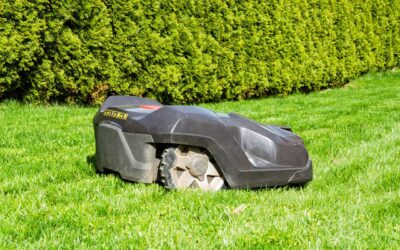
Hands-free lawn care has moved from novelty to mainstream, and few brands are as established as Husqvarna’s Automower line. A Husqvarna robotic lawn mower quietly trims your grass a little every day, delivering a consistently manicured lawn without the weekly push-mow chore. This guide explains how the system works, which model fits your yard, what installation involves, and how to keep it running for years.
- What Is a Husqvarna Automower?
- How the Robotic Mowing System Works
- Key Features That Set It Apart
- Popular Models and What They Cover
- How to Choose the Right Model
- Installation: DIY or Professional
- Step-by-Step Wire Installation Basics
- What It Costs to Own
- Maintenance and Care
- Common Problems and Fixes
- Handling Multiple Zones and Obstacles
- Rain, Weather, and Cutting Height
- Robotic vs. Traditional Mowing
- App Control and Smart Features
- Is It Right for Your Yard?
What Is a Husqvarna Automower?
Husqvarna pioneered robotic mowing in 1995 and sells its machines under the Automower name. Each unit is a compact, battery-powered robot that roams your lawn on a schedule, cutting tiny amounts of grass with razor blades and returning to a charging station when its battery runs low. Because it mows frequently and takes off only a few millimeters at a time, the clippings are small enough to fall between the blades and feed the soil, a process called mulching.
How the Robotic Mowing System Works
Traditional Automowers rely on a boundary wire pinned or buried around the perimeter of your lawn. The mower senses this low-voltage wire and stays inside it, wandering in a random pattern that, over a few days, covers the entire area evenly. A guide wire helps it find its way back to the dock. Newer Husqvarna models add EPOS satellite-based navigation, which uses virtual boundaries set in an app and requires no wire at all, though it needs a reference station for centimeter-level accuracy.
Key Features That Set It Apart
- Quiet operation: most models run around 58 to 60 decibels, quiet enough to mow at night.
- Weather and slope handling: many models climb inclines up to 45 percent and keep working in rain.
- Theft protection: PIN codes, alarms, and GPS tracking on higher tiers.
- App control: Automower Connect lets you start, stop, and schedule from your phone.
- Collision and lift sensors: blades stop instantly if the mower is lifted or tipped.
Popular Models and What They Cover
Husqvarna offers a wide range so you can match the machine to your lawn size. The compact Automower 105 and 305 suit small yards up to about a quarter acre. Mid-range models like the 315X and 430X handle a third to half an acre with GPS-assisted navigation and app connectivity. Large-property owners can step up to the 450X or the wire-free NERA and EPOS-enabled units that cover an acre or more. Match the model’s rated area to your actual mowing space and account for slopes and narrow passages.
How to Choose the Right Model
Start with three numbers: your lawn’s square footage, its steepest slope, and the narrowest passage between sections. Then weigh these factors:
- Area rating: pick a model rated for at least your actual square footage, with headroom for complex shapes.
- Slope capacity: steep yards need models rated for higher grades, up to 70 percent on some premium units.
- Connectivity: decide whether you want app control, GPS tracking, and cellular alerts.
- Navigation type: boundary wire is proven and cheaper; EPOS satellite is wire-free but pricier.
- Budget: entry units start near $700 to $1,000, while large wire-free models exceed $3,000.
Installation: DIY or Professional
Wire-based models require laying a boundary loop around the lawn and any obstacles like flower beds. You can pin the wire to the surface, where grass grows over it in weeks, or bury it a couple of inches for protection. Plan for a full weekend on an average yard. Many buyers hire a Husqvarna dealer for professional installation, which typically adds $300 to $600 but guarantees clean boundaries and correct docking placement. EPOS models skip the wire entirely, replacing it with virtual boundaries drawn in the app.
Step-by-Step Wire Installation Basics
- Position the charging station on flat ground with clear space in front and a power outlet nearby.
- Run the boundary wire around the lawn perimeter, keeping the recommended distance from walls and beds.
- Loop the wire around fixed obstacles the mower should avoid.
- Lay the guide wire from the station out to the boundary to help the mower return.
- Connect the wires to the station, set the schedule, and run a test cycle.
What It Costs to Own
Beyond the purchase price, budget for running costs. Electricity is minimal, often just $10 to $20 per year, since these mowers sip power. The main recurring expense is replacement blades, small razor blades that cost a few dollars for a pack and need changing every one to two months during peak season. Every few years you may replace the battery, roughly $100 to $200. Optional accessories include a garage to shelter the dock and wheel brushes for slippery yards.
Maintenance and Care
Robotic mowers need far less attention than gas machines, but they are not maintenance-free. Keep the underside clean by brushing off grass buildup, and check that the blade disc spins freely. Replace the pivoting razor blades on schedule for the cleanest cut and longest motor life. Clean the charging contacts, inspect the wheels, and update the firmware through the app. In cold climates, store the mower and battery indoors over winter after a full charge.
Common Problems and Fixes
- Mower stops with a “no loop signal” error: usually a broken boundary wire; walk the loop to find the cut.
- Poor cut quality: worn blades or grass mowed too tall on the first cut; lower gradually.
- Gets stuck in a corner: adjust wire spacing or add a passage setting in the app.
- Won’t dock: check station power, guide wire connection, and contact cleanliness.
- Slips on slopes: clean the wheels or add optional traction accessories.
Handling Multiple Zones and Obstacles
Real yards are rarely one clean rectangle. Front and back lawns split by a driveway, narrow side passages, trees, ponds, and raised beds all complicate the layout. Husqvarna models handle this with secondary areas, which are separate zones the mower is scheduled to visit, and with passage settings that guide it through tight corridors. For islands like a flowerbed in the middle of the lawn, you loop the boundary wire around them so the mower steers clear. Planning these features before installation saves a lot of adjustment later, and it is where a professional installer often earns their fee.
Rain, Weather, and Cutting Height
Most Automowers keep working in the rain, which is a plus for consistent results, though many owners set a rain timer or use the app to pause during downpours to avoid clumping and wheel ruts on soft ground. Cutting height is adjusted on the mower or, on premium models, from the app, and it is best to lower it gradually over several days when you first start, rather than scalping tall grass in one pass. Because the robot mows so often, you set the height once and let it maintain that length continuously.
Robotic vs. Traditional Mowing
A robotic mower trades a large weekly time commitment for a small setup cost and daily background operation. The lawn looks consistently tidy because it is never allowed to grow long, and mulched clippings reduce the need for fertilizer. The tradeoffs are the upfront price, the boundary setup on wired models, and the fact that a robot handles only mowing, not edging or leaf cleanup. For most suburban lawns, the convenience and cut quality win people over quickly.
App Control and Smart Features
The Automower Connect app is central to owning a connected model. From your phone you can start and stop the mower, adjust the schedule, set no-mow times, and receive alerts if the machine is lifted, stuck, or leaves its defined area. GPS-equipped units build a map of where they have mowed to improve coverage in complex lawns, and cellular models can notify you of theft attempts from anywhere. Some newer units integrate with voice assistants and support geofencing, so you can be alerted the moment the mower crosses a virtual boundary you set.
Is It Right for Your Yard?
These mowers shine on open to moderately complex lawns up to an acre or two, especially if you value your weekends. Very steep terrain, heavily wooded lots with tree roots, or yards split by driveways and gates can complicate installation, though accessories and multiple zones often solve these issues. If your lawn is mostly contiguous grass, a robot will likely serve you well.
For homeowners who want a pristine lawn without the weekly effort, a Husqvarna robotic lawn mower is one of the most refined options on the market. Choose a model rated for your area and slope, install the boundary correctly, and keep the blades fresh, and you’ll enjoy a beautifully cut lawn that maintains itself day after day.