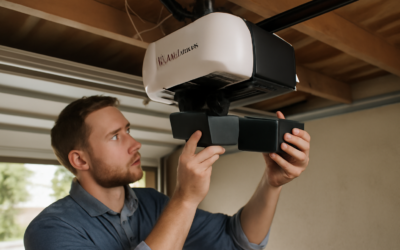
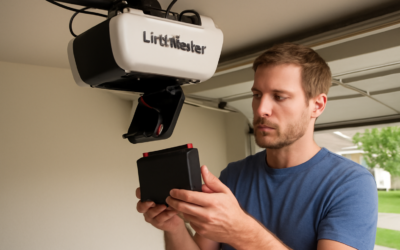
That steady beeping from the garage almost always means one thing: your LiftMaster garage door opener battery backup has reached the end of its life and needs replacing. A LiftMaster garage door opener battery comes in two very different forms, the large backup battery inside the motor unit and the small coin cell inside your remote, and knowing which one is failing saves you from buying the wrong part. This guide covers both, the exact models you need, how to replace them, and how to silence that beep for good.
Part of our Garage Doors guide — explore the full guide →
- The Two Batteries in Your System
- The Backup Battery: Model and Signs of Failure
- Replacing the Backup Battery
- The Remote Battery: What You Need
- Replacing the Remote Battery
- Silencing the Beep
- Making Batteries Last
- Where to Buy the Right Battery
- Extending Backup Battery Life
- Troubleshooting Battery Problems
The Two Batteries in Your System
People conflate them, but a LiftMaster system has separate batteries doing separate jobs. The backup battery is a rechargeable unit inside the motor head that runs the opener during a power outage, required by California law on models sold since 2019 and standard on many others. The remote battery is a small disposable coin cell that powers your handheld or visor remote.
The beeping opener is the backup battery. The dead remote is the coin cell. Diagnosing which one is acting up tells you which fix you need before you shop.
The Backup Battery: Model and Signs of Failure
LiftMaster battery-backup openers use the 485LM replacement battery, a 12-volt sealed lead-acid pack designed specifically for their motor units. It costs about $40 to $60 from LiftMaster dealers or major retailers. Some newer models use the equivalent 41A6357-1 pack, so check your opener’s manual or the label on the existing battery.
You will know the backup battery is dying when the opener beeps periodically and a battery indicator LED on the motor unit or wall control turns red or amber. A backup battery typically lasts one to three years, shorter in hot garages, and the opener starts warning you well before it quits entirely.
Replacing the Backup Battery
The swap is straightforward and takes about ten minutes with the opener within reach on a ladder.
- Unplug the opener from the ceiling outlet for safety.
- Locate the battery compartment, usually a cover on the side or bottom of the motor unit held by a screw or clip.
- Slide out the old 485LM battery and disconnect the wiring harness by squeezing the connector tab.
- Plug the harness into the new battery, matching the connector orientation.
- Slide the new battery in, replace the cover, plug the opener back in, and let it charge fully for up to 24 hours.
Recycle the old lead-acid battery at any auto parts store or hardware retailer that takes them, since they should not go in household trash.
The Remote Battery: What You Need
If the opener works fine from the wall button but your remote is dead or weak, the culprit is the coin cell inside the remote. Most LiftMaster remotes use a CR2032 or CR2016 lithium coin cell, while some older visor remotes take a 23A 12-volt battery. Flip the remote over and open it to confirm before buying.
- Modern single-button and 3-button remotes: usually CR2032 or CR2016
- Older visor and keychain remotes: often a 23A 12V or A23
- Wireless keypads (877MAX): typically a 9V or CR2 battery
A CR2032 costs a dollar or two in a multi-pack, so keep spares on hand.
Replacing the Remote Battery
Remote replacement needs no tools beyond maybe a small coin or flathead screwdriver to pop the case. Slide the visor clip off or find the seam in the remote housing, gently pry it open, and note the orientation of the old cell before removing it.
Drop the new battery in with the positive side facing the same way, snap the case shut, and test. Programming is not lost when you change the remote battery, so the remote should work immediately. If it does not, you may need to reprogram it using the Learn button on the motor unit.
Silencing the Beep
The beeping serves a purpose, warning you the backup is depleted, so the only real fix is replacing the backup battery. Once you install a fresh 485LM and let it charge, the beeping stops. If your model or local code allows, some openers let you disable battery backup entirely through the wall control menu, but this defeats the outage protection and is not recommended in areas where it is legally required.
If the beeping continues after a new battery and a full 24-hour charge, the charging circuit on the logic board may have failed, which is a service call rather than a battery issue.
Making Batteries Last
Heat is the enemy of the backup battery, so an insulated garage extends its life considerably compared to an uninsulated one that bakes in summer. Cycling the door normally keeps the battery exercised, while a door that rarely moves lets the battery sit and degrade.
For remotes, lithium coin cells last two to three years in normal use, longer than you might expect since they only fire when you press the button. Buying batteries in multi-packs and keeping a spare 485LM and a strip of CR2032 cells on a garage shelf means you are never caught with a door that will not open. Match the battery to the job, keep the backup charged, and your LiftMaster will run reliably through outages and daily use alike.
Where to Buy the Right Battery
Sourcing the correct battery saves a return trip and ensures compatibility. LiftMaster’s 485LM backup battery is available through authorized LiftMaster and Chamberlain dealers, home improvement stores like Home Depot and Lowe’s, and major online retailers. Expect to pay $40 to $60, and be cautious of very cheap unbranded replacements, which sometimes have lower capacity or poor connectors that do not seat properly in the compartment.
For remote coin cells, any pharmacy, grocery store, or hardware store carries CR2032 and CR2016 lithium cells, and buying a multi-pack drops the per-battery cost to well under a dollar. The 23A batteries for older visor remotes are slightly less common but still stocked at hardware and electronics stores. When in doubt about which backup pack your unit takes, check the model number printed on the motor unit label or the existing battery, then match it exactly. Genuine LiftMaster batteries carry a warranty and are engineered to the charging circuit, which is worth the small premium over generic alternatives.
Extending Backup Battery Life
The backup battery is the pricier of the two, so a few habits stretch its lifespan and delay replacement. Heat is the primary enemy of sealed lead-acid batteries, so an insulated or climate-controlled garage significantly outlasts one that bakes above 100°F in summer. If your garage runs hot, the battery may need replacing every year or two rather than every three.
Keeping the door in regular use actually helps, because a battery that occasionally discharges and recharges stays healthier than one that sits fully charged and idle for months. During long absences, the battery slowly self-discharges, so after a vacation give it time to recharge before relying on it during an outage. Watch for the early warning signs, the periodic beep and the amber indicator light, and replace the battery promptly rather than letting it fully die, which can leave you stranded without backup power exactly when a storm knocks out the grid.
Troubleshooting Battery Problems
Sometimes a battery issue is not what it seems, so a little diagnosis saves money. If a brand-new backup battery still triggers the beep and warning light after a full 24-hour charge, the problem may lie in the opener’s charging circuit on the logic board rather than the battery itself, which is a service call. Confirm the battery’s harness is fully seated first, since a loose connector mimics a dead battery.
For remotes that seem dead even with a fresh coin cell, check that you installed the battery with the correct polarity, positive side matching the old one, and that the contacts are clean and springy. A remote that works up close but not from a distance usually has a weak battery or an interference problem rather than a programming fault. And if the whole system is unresponsive, verify the opener has power and the wall control still functions before blaming any battery. Ruling out these simple causes prevents unnecessary battery purchases and points you to the real fix.