The mysa smart thermostat fills a gap most smart thermostats ignore: it controls high-voltage electric heating like baseboards and in-floor systems that Nest and Ecobee cannot handle. If you heat with 120 or 240 volt electric heat, this guide explains how Mysa works, what it costs, and how to install it safely.
- What Makes Mysa Different
- Which Mysa Model You Need
- Compatibility and Load Limits
- Key App and Smart Features
- Energy Savings Potential
- What You Need Before Installing
- Step-by-Step Installation
- Wi-Fi and Setup Notes
- Safety Considerations
- Common Problems and Fixes
- Design and Display
- Mysa vs Other Line-Voltage Thermostats
- Zoning and Multi-Room Control
- Firmware Updates and Reliability
- Warranty and Support
- Is Mysa Worth It?
- Final Thoughts
What Makes Mysa Different
Most popular smart thermostats are built for low-voltage 24V central HVAC systems with a furnace or heat pump. Electric baseboard heaters, fan-forced wall heaters, and electric radiant floors run on line voltage, either 120V or 240V, which those thermostats simply cannot switch. Mysa was designed specifically for that high-voltage market, giving apartment dwellers and cold-climate homeowners a genuine smart upgrade.
Mysa also makes a separate model for mini-split heat pumps that controls the unit through infrared signals, and one for central in-floor and forced-air systems. The flagship product, though, is the line-voltage electric heat model.
Which Mysa Model You Need
- Mysa for Electric Baseboard Heaters: handles 120V and 240V baseboard, convector, and fan-forced heaters up to a specified amperage.
- Mysa for In-Floor Heating: controls electric radiant floor systems and works with a floor sensor.
- Mysa for Mini-Split Heat Pumps: replaces the handheld IR remote with app and voice control.
- Mysa for Central AC and Heating: a low-voltage model for conventional systems.
Match the model to your heating type before ordering. Buying the baseboard model for a mini-split, or vice versa, is the most common ordering mistake.
Compatibility and Load Limits
The electric baseboard Mysa handles single-pole and double-pole wiring and supports both 120V and 240V circuits. It has a maximum resistive load, typically around 3,800 watts at 240V, which covers most rooms. If a single thermostat controls several baseboards on one circuit, add up their wattage and confirm it stays under the limit. Very large loads may require a relay or splitting the circuit.
Key App and Smart Features
The Mysa app is the heart of the system. It offers scheduling, geofencing that lowers heat when you leave, and detailed energy reports that estimate usage and cost per room. Because electric heating is billed by the kilowatt-hour, seeing which rooms consume the most helps you trim waste.
Mysa works with Amazon Alexa, Google Assistant, and Apple HomeKit, plus Samsung SmartThings. HomeKit support is notable because few high-voltage thermostats offer it. You can group multiple Mysa units into zones and control an entire home from one screen.
Energy Savings Potential
Electric resistance heating is expensive to run, so smart scheduling pays off quickly. By setting back the temperature at night and while you are away, most households cut heating runtime meaningfully. Mysa’s own estimates suggest savings in the range of a couple hundred dollars per year for homes that previously ran mechanical thermostats at a constant temperature, though real savings depend on your rates and climate.
Geofencing and eco modes automate those setbacks so you do not have to remember to adjust anything. Pairing that with your utility’s off-peak rate windows, where available, stretches savings further.
What You Need Before Installing
Line-voltage wiring is dangerous, so preparation matters. You will need a screwdriver, a voltage tester, and wire connectors. Crucially, Mysa’s line-voltage models require a neutral wire in the wall box. Many older baseboard installations do not have a neutral, so open the box and check before you commit. No neutral means you cannot use the standard Mysa without rewiring.
Step-by-Step Installation
- Turn off the correct breaker and confirm the wires are dead with a voltage tester.
- Remove the old thermostat and photograph the existing wiring for reference.
- Identify line, load, and neutral wires; a double-pole setup has two of each.
- Connect the wires to the matching Mysa terminals using the included connectors.
- Tuck the wires in and screw the Mysa base plate to the box.
- Snap on the faceplate and restore power at the breaker.
- Open the app, create an account, and follow the Wi-Fi pairing prompts.
The physical swap takes about 20 to 30 minutes per thermostat. Because this is line voltage, hire a licensed electrician if you are not fully comfortable working with 240V circuits.
Wi-Fi and Setup Notes
Mysa connects over 2.4 GHz Wi-Fi. Make sure your network reaches the room and that you have your Wi-Fi password handy during pairing. Each thermostat is added individually in the app, then assigned to a room and, if you like, a heating zone. Firmware updates arrive automatically over the air.
Safety Considerations
Line-voltage work carries a real shock and fire risk. Always kill the breaker, verify with a tester, and never assume a wire is dead. Match the double-pole configuration exactly, since electric heaters draw significant current and a loose or wrong connection can overheat. If your box lacks a neutral or you find aluminum wiring, consult an electrician rather than improvising.
Common Problems and Fixes
- Thermostat will not power on: usually a missing neutral or a wire on the wrong terminal.
- Room overshoots the set temperature: normal for baseboards, which retain heat; lower the target slightly.
- Wi-Fi drops: weak 2.4 GHz signal; add a mesh node near the room.
- Energy numbers look off: confirm you entered the correct heater wattage during setup.
Design and Display
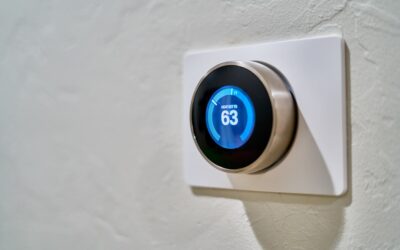
Mysa’s minimalist white puck with an LED touch display is a clear upgrade from the beige mechanical dials it replaces. The screen shows the current and target temperature and lets you adjust heat by tapping the surface. The clean look blends into modern interiors, which appeals to anyone tired of clunky old thermostats.
Mysa vs Other Line-Voltage Thermostats
The market for smart line-voltage thermostats is small, which is exactly why Mysa stands out. Alternatives include the Sinope, Stelpro, and Honeywell line-voltage models, but few match Mysa’s polished app, HomeKit support, and clean design. Basic programmable line-voltage thermostats from big-box stores cost far less but offer no app, no geofencing, and no energy tracking. If you want a genuinely smart experience for electric heat, Mysa is one of the very few options that delivers it well, and it is the only major choice with broad support across Alexa, Google, HomeKit, and SmartThings.
Zoning and Multi-Room Control
One of Mysa’s strengths is treating each room as an independent zone. Since electric baseboards are inherently zoned, one heater per room, you can set different schedules and temperatures for the bedroom, living room, and office. The app lets you group thermostats and adjust them together or individually. This granular control is a real money-saver: you can keep unused rooms cool while heating occupied spaces, something a single central thermostat simply cannot do. For homes with many baseboards, budget for one Mysa per heater or per room.
Firmware Updates and Reliability
Mysa pushes firmware updates over the air to add features and fix bugs, so your thermostat improves over time. Reliability depends heavily on a solid Wi-Fi connection, so a strong 2.4 GHz signal in each room prevents dropouts. Should the internet go down, the thermostat retains its schedule and continues heating locally, only losing remote and voice control until the connection returns. This local fallback means a network outage never leaves you without heat, an important reassurance in cold climates.
Warranty and Support
Mysa backs its thermostats with a limited warranty, typically covering defects for a few years, and offers customer support through its app and website. Keep your proof of purchase, and register the device to streamline any warranty claims. Because installation involves line voltage, damage from improper wiring is generally not covered, which is another reason to hire an electrician if you are unsure. Well-installed and connected to reliable Wi-Fi, Mysa units have a strong reputation for dependable long-term operation.
Is Mysa Worth It?
If you heat with electric baseboards or radiant floors, Mysa is one of very few genuinely smart options, and it does the job well with strong app control and broad smart-home support. The purchase price is higher than a basic programmable line-voltage thermostat, but the scheduling, geofencing, and energy insights recover that cost through lower electric bills over a heating season or two.
Final Thoughts
The mysa smart thermostat brings modern app control, geofencing, and energy tracking to high-voltage electric heating that most smart thermostats leave behind. Confirm your heating type, check for a neutral wire, respect the line-voltage safety rules, and you will gain both comfort and real savings. For electric-heat homes, it remains the standout choice.