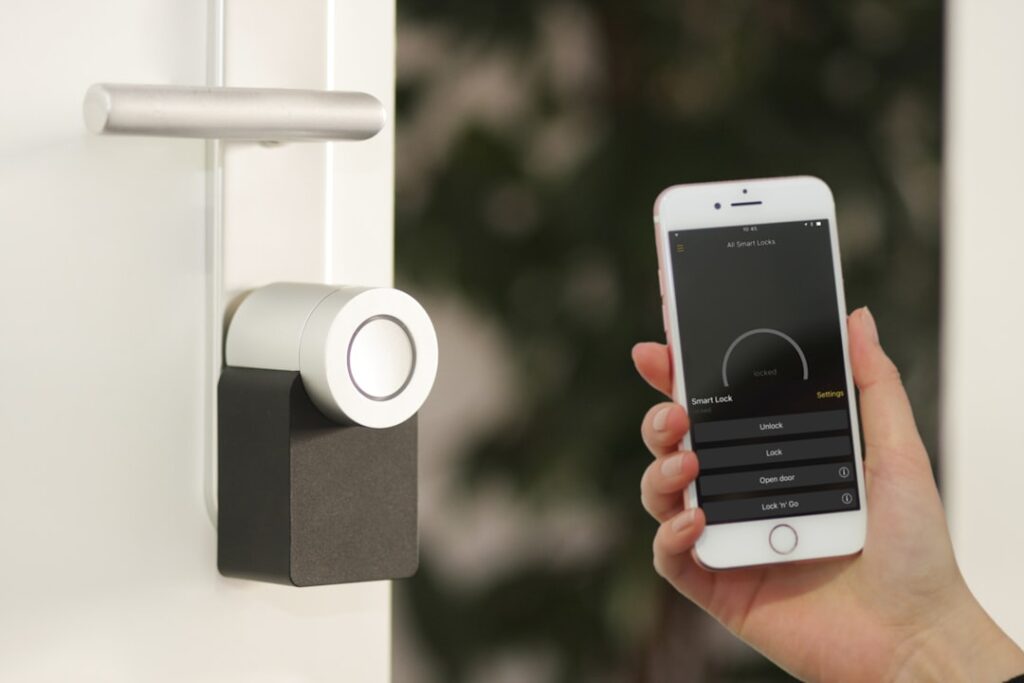
The nuki smart lock is a European retrofit smart lock that turns your existing deadbolt into an app-controlled entry system without replacing the whole lock or handing keys to a locksmith. It mounts over the interior thumb-turn, so the outside of your door stays unchanged. This guide covers the models, installation, features, battery life and security so you can decide if it fits your home.
- How a Retrofit Lock Differs
- The Nuki Lineup
- Compatibility
- What You Can Do With It
- Step-by-Step Installation
- Battery Life and Power
- Smart Home Integration
- Security Considerations
- Understanding Euro Cylinders
- Installing the Nuki on a Non-Euro Deadbolt
- Privacy and Data
- Pros and Cons
- The Keypad and Fingerprint Accessory
- The Nuki Opener for Apartments
- Setting Up Auto Unlock Safely
- Troubleshooting Common Issues
- Who Should Buy It
How a Retrofit Lock Differs
Unlike US-style deadbolt replacements from Yale or Schlage, Nuki does not touch the exterior. It grips the inside knob of your current euro-cylinder or thumb-turn deadbolt and physically turns it with a motor. Your existing keys keep working, and you avoid changing the door’s outward appearance, which is ideal for renters and shared buildings.
The Nuki Lineup
- Nuki Smart Lock (5th gen): The current mainstream model, roughly $170 to $200, with Matter over Thread, Wi-Fi and Bluetooth built in.
- Nuki Smart Lock Pro: Adds an integrated Wi-Fi radio and a Power Pack rechargeable battery so you skip the separate bridge.
- Nuki Smart Lock Go: A budget option focused on Bluetooth and app control for cost-conscious buyers.
- Accessories: Keypad 2.0 with fingerprint reader, the Nuki Opener for apartment buzzer systems, and door sensors.
Compatibility
Nuki works best with euro-profile cylinders common in Europe, but it also fits many thumb-turn deadbolts if the interior knob can accept the mounting adapter. Before buying, measure how far your cylinder protrudes and confirm your key can turn from outside even when a key is inserted on the inside (an “emergency function” cylinder). Nuki publishes a compatibility checker on its site for specific lock brands.
What You Can Do With It
- Auto Unlock: Your phone’s geofence and Bluetooth detect your approach and unlock the door hands-free.
- Lock ‘n’ Go: A single press locks the door as you leave.
- Remote access: Lock, unlock or check status from anywhere over Wi-Fi.
- Guest access: Time-limited digital keys for family, cleaners or Airbnb guests, with an activity log.
- Keypad and fingerprint: Enter by PIN or fingerprint with the optional keypad.
Step-by-Step Installation
- Check the fit: Confirm your cylinder is compatible and that the door locks and unlocks smoothly by hand.
- Mount the base plate: Choose the screw-on plate for a permanent hold or the included adhesive plate for a no-drill, renter-friendly install.
- Insert your key: Slide your existing key into the Nuki cylinder adapter and tighten the set screws onto the key so the motor can turn it.
- Attach the lock body: Clip the Nuki unit onto the base plate.
- Calibrate in the app: The Nuki app runs a calibration cycle to learn the locked and unlocked positions.
- Add Wi-Fi and users: Connect to your network, then invite users and set up the keypad if you bought one.
A typical install takes 15 to 30 minutes and needs only a screwdriver and possibly a hex key.
Battery Life and Power
The standard Nuki uses four AA batteries that last roughly four to six months depending on how often it cycles and whether Wi-Fi stays on. The Pro model and the optional Power Pack use a rechargeable pack you top up with a USB-C cable, avoiding disposable batteries. The app sends low-battery alerts well before it dies, and the motor holds position even when power runs out so you are never locked out with your physical key.
Smart Home Integration
The 5th-gen models support Matter over Thread, which brings native compatibility with Apple Home, Google Home, Amazon Alexa and Samsung SmartThings. That means voice control and inclusion in automations, such as auto-locking at night or unlocking when a trusted phone arrives. Older generations rely on the Nuki Bridge for remote features, so buy the current model if broad ecosystem support matters.
Security Considerations
Because Nuki leaves your mechanical cylinder in place, its physical security is only as good as the deadbolt it sits on. Pair it with a quality anti-drill, anti-bump euro cylinder for real protection. Digitally, Nuki uses AES-256 encryption for commands and stores guest access as revocable digital keys. Enable two-factor authentication on your Nuki account, and disable Auto Unlock if you worry about relay attacks near your door.
Understanding Euro Cylinders
Since Nuki grips your existing cylinder, the quality of that cylinder defines your door’s real security. A euro profile cylinder is the standardized lock core common across Europe, and they vary widely in resistance to attacks. Look for a cylinder rated against drilling, picking, bumping and snapping, ideally one carrying a recognized security certification. An anti-snap cylinder is especially important because lock snapping is a common break-in method on cheap euro cylinders. You also need an emergency-and-escape function cylinder, which lets the key turn from outside even when a key or the Nuki adapter sits on the inside.
Installing the Nuki on a Non-Euro Deadbolt
While Nuki is optimized for euro cylinders, many US and other thumb-turn deadbolts work with the right adapter. The key requirement is that the interior thumb-turn can be gripped or replaced so the motor can rotate the bolt. Nuki supplies several adapter sizes in the box, and its online compatibility checker lists tested lock brands and models. Before buying, verify your deadbolt turns smoothly by hand with little resistance, because the motor cannot force a stiff or misaligned bolt; if the lock binds, service the deadbolt first.
Privacy and Data
Because a smart lock touches your home’s security, it is worth knowing how Nuki handles data. Commands between your phone, the lock and Nuki’s servers are encrypted with AES-256, and the company is based in Austria under strict European data protection rules. You can operate the lock entirely over local Bluetooth without cloud access if you prefer minimal data sharing, adding Wi-Fi only when you want remote features. Enabling two-factor authentication on your Nuki account and keeping firmware updated are the two most important steps for keeping your lock secure over time.
Pros and Cons
- Pros: No exterior change, keeps existing keys, renter-friendly adhesive mount, strong app, Matter support.
- Cons: Bulky interior unit, best suited to euro cylinders, AA battery life is modest on the base model, cheaper US-market alternatives exist for standard deadbolts.
The Keypad and Fingerprint Accessory
The Nuki Keypad 2.0 mounts outside your door and lets anyone enter with a PIN or, on the fingerprint model, a stored fingerprint, no phone required. It communicates wirelessly with the lock, so no wiring runs through the door. You can issue permanent codes for household members and time-limited codes for a cleaner or a weekend guest, all revocable from the app. The keypad runs on its own batteries and mounts with screws or adhesive. For Airbnb hosts and families with kids who lack phones, the keypad transforms Nuki from a phone-only lock into a full keyless system.
The Nuki Opener for Apartments
Apartment dwellers with a building intercom can add the Nuki Opener, a device that connects to your existing door-entry buzzer system. It lets you buzz visitors into the building from your phone and can even auto-accept the intercom call and release the main door when you approach. Combined with the Smart Lock on your apartment door, the Opener creates a complete keyless path from the street to your unit, a setup that is hard to achieve with US-style deadbolt replacements.
Setting Up Auto Unlock Safely
Auto Unlock is Nuki’s marquee convenience feature: your phone’s GPS establishes that you left home, and when you return and come within Bluetooth range, the lock opens automatically. To use it reliably, keep the app running in the background with location permission set to always, and calibrate the geofence radius so it does not trigger prematurely. If you are security-conscious about relay attacks, where an attacker extends your phone’s Bluetooth signal, you can disable Auto Unlock and rely on the app button, keypad or Lock ‘n’ Go instead.
Troubleshooting Common Issues
- Motor struggles to turn: The cylinder may be stiff; lubricate the lock and confirm it turns easily by hand, then recalibrate.
- Bluetooth drops: Keep the phone updated and re-pair; walls and metal doors can weaken the signal.
- Wi-Fi offline: The lock uses 2.4 GHz; ensure that band is reachable or move a Nuki Bridge closer on older models.
- Auto Unlock misfires: Widen the geofence and disable battery optimization for the Nuki app on Android.
- Adhesive plate loosens: On heavy daily use, switch to the screw-on plate for a permanent hold.
Who Should Buy It
Nuki shines for apartment dwellers and anyone with a euro-cylinder door who wants smart access without altering the outside. If you own a US-style deadbolt and want a fully integrated exterior keypad, a replacement lock from a US brand may suit better. For everyone else, Nuki’s retrofit approach is one of the cleanest ways to add app control.
In summary, the nuki smart lock delivers keyless entry, remote control and guest access by upgrading the deadbolt you already own. Verify cylinder compatibility, choose the Pro or Power Pack if you want rechargeable power, pair it with a solid cylinder, and enable account security features to get convenient, safe keyless entry.