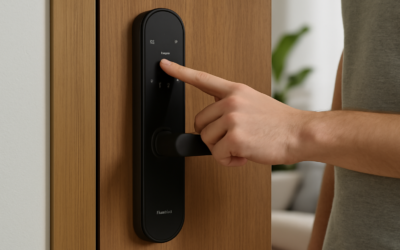
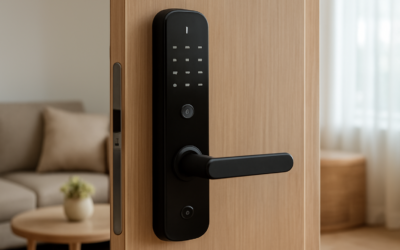
The Aqara U400 smart lock is a keyless entry deadbolt designed to bring convenient, multi-method access to a standard residential door. Instead of fumbling for keys, you can unlock with a fingerprint, a code, a fob, your phone, or hands-free options, all while keeping app-based control and access logs at your fingertips. For homeowners exploring smart-home upgrades, a versatile smart lock is one of the most useful and satisfying additions.
This guide explains what the lock offers, how it fits into a connected home, and the practical considerations of installing and living with a smart deadbolt.
- What a Smart Lock Like This Does
- Access Methods and Everyday Convenience
- Smart Home Integration
- Security and Privacy Considerations
- Battery Life and Power
- Installation Basics
- Setting Up Users and Access Schedules
- Troubleshooting Common Issues
- Weather and Durability Considerations
- Comparing Access Methods
- Getting the Most From Your Smart Lock
- Is It Right for You?
What a Smart Lock Like This Does
At its core, the Aqara U400 smart lock replaces a traditional deadbolt with a motorized version you can operate several ways. The appeal is flexibility: family members, guests, and service providers can each get their own access method without copying physical keys. When you leave, the lock can secure the door automatically, and you always know it is locked because you can check from your phone.
Access Methods and Everyday Convenience
The biggest draw of a modern smart lock is the variety of ways to get in. Typical entry options on a full-featured deadbolt include:
- Fingerprint: Fast, personal, and ideal for family members.
- PIN code: Assign temporary codes for guests, cleaners, or dog walkers.
- App unlock: Open the door remotely for a delivery or arriving guest.
- Key fob or card: A simple tap for those who prefer no phone or code.
- Physical key backup: A traditional keyway for emergencies and dead batteries.
Being able to hand out and revoke digital access without changing locks is a genuine day-to-day advantage over metal keys.
Smart Home Integration
A smart lock is most powerful when it works with the rest of your home. Aqara devices are known for broad ecosystem support, so a lock typically pairs with major smart-home platforms and voice assistants. That integration lets you build routines, such as turning on entry lights when the door unlocks or arming and disarming a security setup based on who comes and goes.
Before buying any smart lock, confirm it supports the platform you already use, whether that is a phone-based ecosystem, a voice assistant, or a whole-home hub, so it fits smoothly into your existing setup.
Security and Privacy Considerations
A lock is a security device first, so evaluate protection alongside convenience. Look for these safeguards on any smart deadbolt:
- Encrypted communication between the lock, hub, and app.
- Local processing of sensitive data like fingerprints for added privacy.
- Tamper and pry alerts that notify you of forced attempts.
- Auto-lock timers so the door is never left unsecured by mistake.
- Activity logs showing who entered and when.
These features turn a lock from a simple convenience into a meaningful layer of home security.
Battery Life and Power
Smart locks run on rechargeable or replaceable batteries, and battery life is a real quality-of-life factor. Most modern locks last several months on a charge, and the app warns you well before power runs low. Look for a backup power option, such as an external contact for a portable charger or a physical key, so you are never locked out during a dead-battery moment. Building a habit of recharging or swapping batteries when the first low warning appears keeps the lock dependable.
Installation Basics
Replacing a deadbolt is one of the more approachable smart-home projects, and most homeowners can do it with basic tools. The general process looks like this:
- Confirm your door thickness and bore hole match the lock’s requirements.
- Remove the old deadbolt, including the interior and exterior halves.
- Install the new latch and mounting plate, keeping everything aligned.
- Attach the exterior and interior units, then connect and route the cable.
- Insert batteries, follow the app’s setup, and calibrate the lock direction.
Proper alignment is the key to smooth operation. A latch that binds against the strike plate will strain the motor, so adjust the door or strike as needed until the bolt slides freely.
Setting Up Users and Access Schedules
Much of a smart lock’s value comes from managing who can enter and when. Through the companion app you typically create individual profiles for each family member, assigning fingerprints, codes, or app access to each. For guests and service providers, you can generate temporary or scheduled access, so a code works only during certain hours or expires after a set date. This granular control is far more flexible than physical keys, which cannot be time-limited or easily revoked. When a housekeeper’s schedule changes or a guest checks out, you simply update or delete their access in seconds rather than rekeying the entire lock.
Troubleshooting Common Issues
Like any connected device, a smart lock occasionally needs a little attention. Knowing the usual culprits saves frustration:
- Connectivity drops: If the lock loses touch with the app, check the hub’s placement and your network signal near the door.
- Fingerprint failures: Re-enroll prints if recognition slips, and register more than one finger per person.
- Stiff operation: A binding bolt usually means alignment, so adjust the strike plate or door.
- Low battery warnings: Recharge or replace promptly, and keep the physical key or backup power handy.
Most issues trace back to either alignment or connectivity, both of which are straightforward to correct once you know where to look.
Weather and Durability Considerations
An exterior lock faces sun, rain, heat, and cold, so durability matters. When choosing any smart deadbolt, check that the exterior unit is rated to withstand the elements in your climate. Extreme cold can shorten battery life and stiffen mechanisms, while direct sun and moisture test the finish and seals over years of use. Locks with weather-resistant housings and a temperature-tolerant design hold up best. A small overhang or storm door can further shelter the lock, extending its life and keeping performance reliable through every season.
Comparing Access Methods
With so many ways to unlock a smart deadbolt, it helps to think about which methods suit which people in your household. Each option has strengths and ideal use cases:
- Fingerprint: Fastest for daily users and impossible to lose, ideal for adults and older kids.
- PIN code: Best for guests and service providers who need temporary access without an app.
- App and remote unlock: Perfect for letting in a delivery or arriving visitor when you are not at the door.
- Key fob or card: Simple for young children or anyone who prefers not to use a phone or code.
- Physical key: The essential fallback for dead batteries or a rare technical glitch.
Most households end up using a mix, assigning fingerprints to family members, codes to occasional visitors, and keeping the app and physical key as backups. This layered approach means there is always a convenient way in and always a fallback.
Getting the Most From Your Smart Lock
To enjoy years of reliable service, a few habits go a long way. Keep the firmware updated through the app, since manufacturers regularly improve security and fix bugs. Register more than one fingerprint per person and keep at least one backup access method active for everyone. Test the lock and its integrations occasionally so you catch any issue before it becomes an inconvenience, and keep a spare physical key stored safely off-site or with a trusted neighbor. Pay attention to battery warnings and recharge or replace promptly rather than waiting until the last moment. Finally, take advantage of the automation possibilities, such as auto-lock timers and entry-triggered lighting, which turn the lock from a simple convenience into a genuinely smarter home feature that works quietly in the background every day.
Is It Right for You?
A smart lock makes the most sense if you value keyless convenience, share access with multiple people, or want remote control and logging. It is especially handy for families with kids, rental hosts, and anyone tired of hiding a spare key under the mat. If you rarely need to grant access to others and prefer the simplicity of a metal key, the added cost may be less compelling.
For those ready to modernize their entry, the Aqara U400 smart lock represents the kind of flexible, integration-friendly device that anchors a broader smart home. Confirm compatibility with your platform, verify your door dimensions, and you will gain a convenient, secure upgrade you interact with every single day.