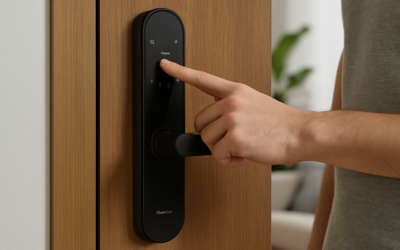
Keyless entry has gone mainstream, and budget-friendly brands are a big reason why. The Hornbill smart lock lineup offers fingerprint, keypad, app, and physical-key access at a price well below the marquee names, making it a popular pick for first-time smart-lock buyers. This guide covers how these locks work, what you get, how to install one, and how to keep it running reliably.
- What a Hornbill Smart Lock Is
- Access Methods Explained
- Security Considerations
- Battery Life and Power
- Installation: Step by Step
- App and Smart Home Integration
- What It Costs
- Choosing the Right Model
- Maintenance and Care
- Troubleshooting Common Issues
- Pros and Cons at a Glance
- How Hornbill Compares to Premium Brands
- Managing Family and Guest Access
- Weather and Outdoor Durability
- Is a Smart Lock Right for You?
- Final Verdict
What a Hornbill Smart Lock Is
Hornbill makes a range of electronic deadbolts and lever locks that replace your existing hardware and add multiple ways to unlock the door. Most models are multi-access, meaning a single lock accepts a fingerprint, a numeric PIN code, a mechanical backup key, and in many cases a Bluetooth or app-based unlock from your phone.
The appeal is straightforward: you stop carrying keys, you hand out codes instead of copies, and you spend a fraction of what a premium brand charges for similar features.
Access Methods Explained
The value of a smart lock comes down to how many convenient, secure ways it gives you to get in the door.
- Fingerprint: A capacitive sensor reads your fingerprint and unlocks in under a second. Most models store dozens of prints, enough for a whole family.
- Keypad PIN: Type a 4- to 8-digit code. You can issue permanent codes for family and temporary codes for guests or a house cleaner.
- Physical key: A traditional keyway serves as a mechanical backup if the electronics ever fail.
- App / Bluetooth: On connected models, the phone app unlocks the door and manages codes; a Wi-Fi bridge adds remote control from anywhere.
Many keypads also include an anti-peep feature that lets you type random digits before or after your real code, so a bystander can’t memorize the sequence.
Security Considerations
A smart lock is only as good as its build and its habits. Look for a lock with a solid steel deadbolt, an auto-lock timer so the door secures itself, and a lockout mode that disables the keypad after several wrong attempts to defeat guessing. Hornbill models generally include these features.
No consumer smart lock is unpickable, and the mechanical keyway remains the most attackable point on any lock. If maximum security is your goal, pair the lock with a reinforced strike plate and long screws into the door frame stud, which does far more to resist a kick-in than the lock itself.
Battery Life and Power
Most Hornbill locks run on four AA batteries and last roughly 6 to 12 months depending on how often the door is used and whether Wi-Fi is enabled. The lock warns you with low-battery beeps and app alerts well before it dies.
Critically, these locks include an emergency power option: a USB-C or micro-USB port on the underside lets you press a power bank against it to wake the keypad if the batteries fully drain while you’re outside. Combined with the physical key, that means you’re never truly locked out.
Installation: Step by Step
Most Hornbill deadbolts fit standard US door prep, meaning a 2-1/8 inch bore hole and a 1 inch edge bore. Installation takes 20 to 40 minutes with a screwdriver.
- Remove your old deadbolt: unscrew the interior side, pull both halves out, and remove the latch and strike plate.
- Confirm your door’s backset (2-3/8 or 2-3/4 inches) and set the adjustable latch accordingly.
- Install the new latch in the edge of the door with the bolt retracted.
- Feed the exterior keypad’s cable through the bore hole and mount the exterior assembly.
- Attach the interior mounting plate, connect the cable, and secure the interior escutcheon.
- Insert batteries, then run the on-lock or in-app calibration so it learns the locked and unlocked positions.
After that, enroll your fingerprints and set up admin and user codes following the app or voice prompts.
App and Smart Home Integration
Connected Hornbill models pair to a companion app over Bluetooth, and a separate Wi-Fi gateway extends control beyond your front porch so you can lock up or issue a code from work. The app is where you manage users, view an access log showing who entered and when, and set schedules for time-limited codes.
Voice control through Alexa and Google Assistant is available on gateway-equipped models, letting you check lock status or lock the door by voice. Note that unlocking by voice usually requires a spoken PIN for security.
What It Costs
Hornbill’s pricing is the main draw. Fingerprint keypad deadbolts typically sell for $40 to $90, roughly one-third to one-half the price of comparable name-brand locks that run $150 to $300. A Wi-Fi gateway, if the model needs one for remote access, adds around $20 to $40.
There are no subscription fees for basic operation, code management, or the access log, which keeps the long-term cost low.
Choosing the Right Model
Before buying, match the lock to your door and needs.
- Measure your door thickness; most locks fit 1-3/8 to 2 inch doors, but very thick or very thin doors need attention.
- Decide whether you need remote control. If yes, buy a model with Wi-Fi or budget for the gateway.
- Pick a finish that matches your other hardware, since satin nickel, matte black, and bronze are common.
- Check whether you want a deadbolt (secondary lock) or a keypad lever handle (primary latch), or both.
Maintenance and Care
Smart locks need little upkeep, but a few habits help. Wipe the fingerprint sensor occasionally so oils and grime don’t cause failed reads. Replace batteries proactively when you get the first low-battery alert rather than waiting. Keep a mechanical key hidden securely off-site or with a trusted neighbor as a fail-safe. Once a year, tighten the mounting screws, since daily use can loosen them and cause the bolt to bind.
Troubleshooting Common Issues
Most problems have simple fixes.
- Fingerprint won’t read: Re-enroll the print, capturing it from several angles; dry or callused fingers read better after re-enrollment.
- Bolt sticks or won’t fully throw: The door is likely misaligned. Adjust the strike plate so the bolt slides freely, then recalibrate.
- Keypad unresponsive: Batteries are probably dead; use the USB emergency power or the physical key.
- App won’t connect remotely: Confirm the Wi-Fi gateway is powered, within range, and on a 2.4 GHz network.
Pros and Cons at a Glance
The strengths are clear: excellent value, multiple access methods, no subscription, and easy DIY installation. The trade-offs are that build quality and app polish don’t quite match premium brands, some models require a separate gateway for remote features, and long-term customer support can be less robust than with established manufacturers.
How Hornbill Compares to Premium Brands
Set against established names like Schlage, Yale, and Kwikset, Hornbill’s pitch is value. The premium brands offer more refined apps, longer track records, deeper smart-home certification, and more responsive customer support, and their locks often carry higher security grades. Hornbill counters with the same core conveniences, fingerprint, keypad, key, and app access, at roughly a third to a half of the price. For a secondary door, a rental, or a first smart lock where you want to test the waters without a big outlay, the value proposition is compelling. For a primary entry where you want the most polished ecosystem and long-term support, a premium brand may justify its cost.
Managing Family and Guest Access
One of the biggest day-to-day advantages of a smart lock is code management. With Hornbill you can assign each family member their own PIN and fingerprint, then hand out temporary codes to guests, dog walkers, or cleaners that you delete when they’re no longer needed. Connected models with a gateway also keep an access log so you can see who entered and when, which is reassuring for parents tracking when kids get home and for anyone who wants a record of comings and goings. Time-limited codes are especially useful for short-term rentals.
Weather and Outdoor Durability
Because the keypad and often the fingerprint reader sit outside, weather resistance matters. Most Hornbill exterior units carry a weatherproof rating suitable for covered entries, but direct exposure to driving rain and extreme cold can shorten the life of the electronics and slow fingerprint reads. Mounting under an overhang, if possible, helps. In very cold climates, fingerprint sensors can struggle to read dry or cold fingers, so having the keypad and physical key as backups is genuinely useful.
Is a Smart Lock Right for You?
A smart lock makes the most sense if you’re tired of carrying keys, frequently hand out access to others, or want to stop making physical copies. It’s also a boon for households with kids who lose keys and for anyone managing a rental. If your door is unusual in thickness or backset, or you rent and can’t modify the hardware, verify compatibility or check with your landlord first. For most standard US doors, installation is a simple DIY job.
Final Verdict
For shoppers who want keyless convenience without a premium price, the Hornbill smart lock delivers fingerprint, keypad, key, and app access in an affordable, easy-to-install package. Pair it with a reinforced strike plate and stay on top of battery alerts, and it’s a genuinely practical upgrade that ends the daily hunt for keys while keeping your front door secure.