
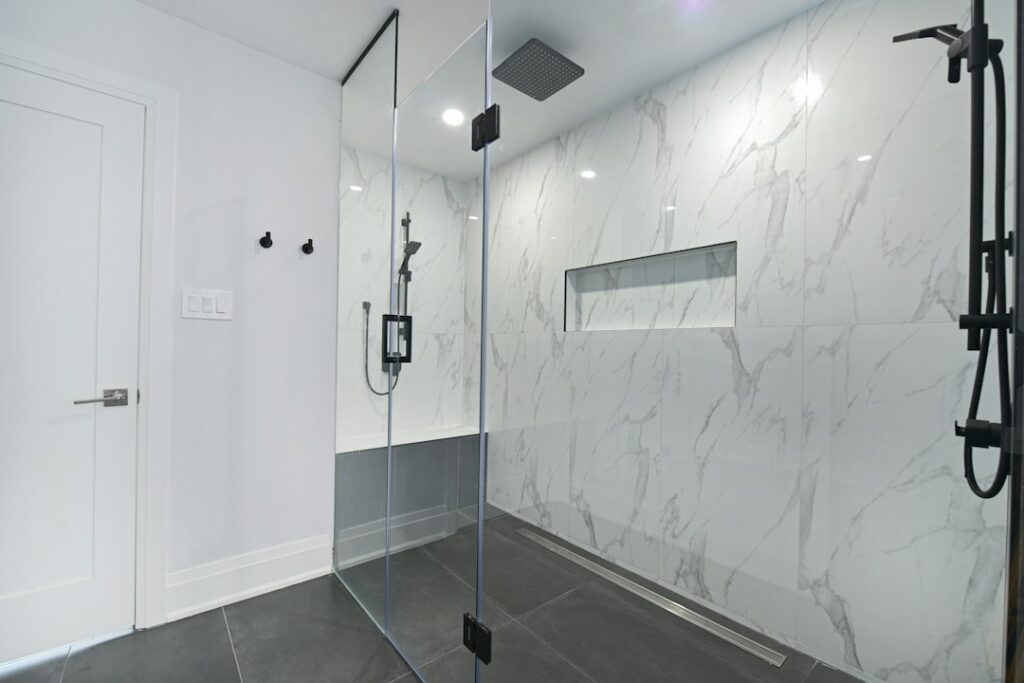
Most people switch off the bathroom fan the moment they walk out, which is exactly when it needs to keep running. Steam lingers for 15 to 20 minutes after a hot shower, and that moisture ends up in drywall, grout, and the subfloor under your tile or vinyl. A bathroom exhaust fan timer switch solves the problem automatically by keeping the fan on for a set time and then shutting it off. It is one of the cheapest upgrades that protects a bathroom, usually $20 to $80 for the switch and under an hour to install.
Part of our Bathroom Remodeling & Flooring guide — explore the full guide →
- Why a Bathroom Exhaust Fan Timer Switch Matters
- Types of Timer Switches for Bathroom Fans
- Choosing the Right Run Time and Settings
- Wiring Basics Before You Start
- How to Install a Bathroom Exhaust Fan Timer Switch
- Common Problems and Quick Fixes
- Protecting Your Bathroom Floors and Finishes
- Frequently Asked Questions
Why a Bathroom Exhaust Fan Timer Switch Matters
Bathrooms produce more moisture per square foot than any other room in the house. A 10-minute shower can release roughly half a pint of water vapor into the air. If the fan runs only while you are in the room, much of that vapor settles on cool surfaces once you leave.
Over months, that repeated wetting leads to mildew on ceilings, peeling paint, swollen door and vanity edges, and mold behind the tile backer board. It also stresses flooring. Grout lines darken, caulk joints fail, and moisture can seep past the edges of laminate or poorly sealed vinyl plank.
The Home Ventilating Institute and most building scientists recommend running a bath fan for about 20 minutes after bathing. A timer makes that happen without relying on memory, and it keeps the fan from running for hours when someone forgets it entirely.
Types of Timer Switches for Bathroom Fans
Several designs fit a standard single-gang wall box. Your choice depends on how much automation you want and what wiring you have.
Mechanical Spring-Wound Timers
The classic twist dial runs up to 15, 30, or 60 minutes and needs no neutral wire or batteries. They are inexpensive at about $15 to $30 and nearly bulletproof. The downside is the audible ticking and a style that looks dated to some homeowners.
Digital Push-Button Countdown Timers
These use preset buttons, often 5, 10, 20, and 30 minutes or similar, with small LED indicators. They fit decorator-style wall plates and cost $25 to $50. Most require a neutral wire in the box.
Humidity-Sensing Switches
A humidistat control turns the fan on when relative humidity rises above a set point, typically adjustable from 50 to 80 percent, and turns it off once the air dries. Many also include a manual timer mode. They are ideal for households with kids or guests who never touch the switch. Expect $35 to $80.
Occupancy and Motion-Sensor Timers
These start the fan when someone enters and keep it running for a set delay after they leave. They work well in half-baths where odor control matters more than steam. Some combine motion and humidity sensing.
Smart Switches
Wi-Fi or Z-Wave switches allow app control, schedules, and voice commands. Some pair with remote humidity sensors. They cost $40 to $100 and nearly always need a neutral wire.
Choosing the Right Run Time and Settings
For a full bathroom with a shower, 20 to 30 minutes after bathing is a good default. Larger bathrooms, low-powered fans, or long ducts may need 30 to 60 minutes. A half-bath usually needs only 5 to 15 minutes.
Match run time to your fan’s capacity. The standard sizing rule is 1 CFM per square foot of floor area for bathrooms up to 100 sq ft with 8-foot ceilings. A 7-by-9-foot bathroom, about 63 sq ft, needs at least a 70 to 80 CFM fan. If your fan is undersized, a longer timer helps but will not fully compensate. Upgrading to a quieter, higher-CFM unit rated at 1.0 sone or less may be the better fix.
If you choose a humidity switch, set it about 10 percentage points above your normal indoor humidity. Setting it too low makes the fan run constantly on humid summer days.
Wiring Basics Before You Start
Most bathroom fans are wired on a single switch leg: power comes into the switch box, passes through the switch, and travels to the fan. Replacing a standard toggle with a timer is usually straightforward, but check these points first:
- Neutral wire: Look for a bundle of white wires tied together in the back of the box. Digital and smart timers need one. Older homes may not have it, which limits you to mechanical timers or specific no-neutral models.
- Load rating: Confirm the switch is rated for motor loads and your fan’s amperage. Most bath fans draw under 1.5 amps, well within typical ratings.
- Combined fan and light: If one switch controls both fan and light, you will need a dual control, or you may prefer to rewire so the light has its own switch and the fan gets the timer.
- GFCI protection: Bathroom circuits generally require GFCI protection. The timer itself does not replace that requirement.
How to Install a Bathroom Exhaust Fan Timer Switch
If you are comfortable replacing an outlet or light switch, this is a similar job. When in doubt, hire a licensed electrician, which typically costs $100 to $200 for a simple swap.
- Turn off power at the breaker panel. Confirm the circuit is dead with a non-contact voltage tester on every wire in the box.
- Remove the old switch. Take off the cover plate, unscrew the switch, and gently pull it out. Take a photo of the existing wiring before disconnecting anything.
- Identify the wires. You will usually see a line (hot) wire, a load wire going to the fan, a bare or green ground, and possibly a bundle of neutrals.
- Connect the timer. Follow the manufacturer’s diagram. Typically, line connects to the black lead or line terminal, load to the red or load terminal, ground to green, and the timer’s white lead to the neutral bundle using a wire nut.
- Fold and mount. Tuck wires neatly into the box, secure the timer with its mounting screws, and install the new wall plate.
- Restore power and test. Run each preset and confirm the fan shuts off on time. For humidity models, run a hot shower to confirm activation.
Some local codes require permits for any electrical work. Check with your building department, especially if you are rewiring rather than doing a straight swap.
Common Problems and Quick Fixes
A timer that clicks but will not start the fan usually points to a loose load connection or a failed fan motor. Test the fan by briefly connecting it to a standard switch.
A digital timer that flickers or resets often lacks a proper neutral, or the fan’s startup draw is too high for the switch. Look for a model specifically rated for inductive motor loads.
A humidity switch that never turns off usually has its set point too low or sits too close to the shower. Raise the threshold by 5 to 10 percent, or choose a model with an automatic maximum run time.
If the fan runs the full time but moisture still lingers, check the duct. Crushed flexible ducts, long runs, or ducts that end in the attic instead of outside can cut airflow by half or more. Rigid 4-inch metal duct terminating at a roof or wall cap is the best practice.
Protecting Your Bathroom Floors and Finishes
Good ventilation is a floor protection strategy. Moisture that condenses on cool tile, vinyl, or laminate works its way into seams and edges. Consistent timed ventilation keeps indoor humidity below 60 percent, which slows mildew growth in grout and prevents swelling in wood-based materials.
Pair your timer with other simple habits: squeegee the shower walls, leave the door open after bathing once the fan has run, and repair cracked caulk promptly. Together, these steps extend the life of your flooring, cabinetry, and paint, and they cost almost nothing compared with repairing water damage later.
Frequently Asked Questions
How long should a bathroom fan run after a shower?
Run it for about 20 minutes after bathing in most full bathrooms. Larger rooms or low-CFM fans may need 30 to 60 minutes to fully clear the moisture.
Do bathroom fan timer switches need a neutral wire?
Mechanical spring-wound timers do not need one. Most digital, humidity-sensing, and smart switches do, although some no-neutral models exist for older homes.
Can I use a timer switch for a combined fan and light?
Yes, but you will need a dual control with separate fan and light functions, or rewiring so the light and fan are on independent switches.
Is a humidity sensor better than a timer?
A humidity sensor adjusts automatically to actual moisture and requires no user input. A simple countdown timer is cheaper and more predictable. Many homeowners choose a combination unit for the best of both.
A bathroom exhaust fan timer switch is a small, inexpensive change that works every day in the background. Choose a timer type that matches your wiring and habits, size your fan properly, and your bathroom will stay drier and last longer.


