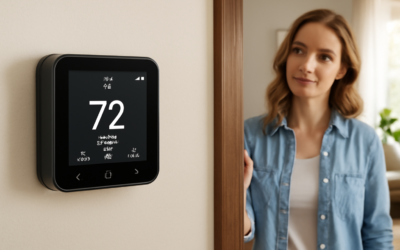
The Honeywell Home T5 smart thermostat is the value pick in Honeywell’s connected lineup, delivering 7-day scheduling, geofencing, and full app control for around $90 to $130, well under what a Nest or ecobee costs. Sold as models RCHT8610 and RCHT8612, the Honeywell Home T5 smart thermostat skips the flashy touchscreen and voice speaker of pricier units in favor of doing the fundamentals reliably. This guide covers its features, the C-wire requirement, installation, and how it stacks up against Honeywell’s own T6 and T9 as well as the big-name rivals.
What the T5 Is and Isn’t
The T5 aims squarely at homeowners who want smart scheduling and remote control without paying for extras they won’t use. Its backlit display shows temperature and setpoint clearly, and the physical footprint is compact enough to cover most old thermostat outlines. You control it through the Resideo app, formerly Honeywell Home, from anywhere.
What it isn’t: a learning thermostat. Unlike a Nest that guesses your schedule, the T5 expects you to set a program, then respects it. For many people, that predictability is a feature, not a shortcoming, you know exactly what it’s going to do.
Key Features
The T5 punches above its price with a focused feature set:
- 7-day scheduling: Program a different heating and cooling plan for every day of the week.
- Geofencing: Uses your phone’s location to switch to an energy-saving mode when you leave and resume comfort before you get home.
- Smart alerts: Reminders for filter changes and extreme-temperature warnings that flag a heating failure before pipes freeze.
- Flexible mounting: Works in homes without a smart-home hub; it connects directly to 2.4 GHz WiFi.
Geofencing plus a solid schedule covers what most households actually need to cut energy waste, without the learning-curve unpredictability some owners dislike in auto-scheduling models.
The C-Wire Requirement
Here’s the install detail to check first. The T5 requires a C-wire (common wire) for continuous power. Many older homes wired for a simple mercury thermostat don’t have a live C-wire at the wall, so this is the single most common install snag.
Honeywell addresses it in two ways. Some T5 kits include a C-wire adapter (a small module that wires at the furnace control board), and the app walks you through it. If your system lacks a C-wire and you didn’t get the adapter, you’ll either add one, buy the adapter separately, or in some configurations use the R and Rc jumper setup, though a true C-wire is the reliable route. Before buying, pull your old thermostat off the wall and photograph the wire labels; if you see a wire in the C terminal, you’re set.
Heating and Cooling Compatibility
The T5 handles a wide range of residential systems. It supports single-stage and multi-stage setups, up to 2 heat and 2 cool stages, which covers conventional gas furnaces with AC and, importantly, most heat pumps configured as 2H/2C. That heat-pump support at this price is a genuine strength, since some budget thermostats can’t drive a heat pump’s auxiliary heat correctly.
It does not control line-voltage baseboard heat, whole-house humidifiers on their own, or complex zoned systems the way a high-end model might. For a standard forced-air furnace, central AC, or a typical heat pump, though, the T5 is fully at home.
Installation Walkthrough
A T5 install runs about 30 minutes for a confident DIYer. The Resideo app guides each step:
- Turn off power to the HVAC system at the breaker or furnace switch.
- Remove the old thermostat, photographing the wiring first for reference.
- Label each wire with the included stickers, then release them.
- Mount the T5 base, level it, and connect wires to matching terminals, including C.
- Snap on the faceplate, restore power, and follow the app to join WiFi and configure your system type.
The only step that trips people is the system-type configuration, get your heat source (gas, heat pump, electric) right, since a heat pump wired as conventional gas will run inefficiently. When unsure, an HVAC tech can set it correctly in under an hour.
Smart-Home Integration and the HomeKit Gap
On connectivity, the T5 works with Amazon Alexa, Google Assistant, and Samsung SmartThings, so voice adjustments and basic automations are covered. It also plays into IFTTT for custom routines.
The notable omission is Apple HomeKit, the T5 does not support it. If you’re deep in the Apple ecosystem and want to control heating from the Home app or Siri, that’s a real limitation and a reason to look at the pricier T9 or an ecobee, both of which include HomeKit. For Alexa and Google households, it’s a non-issue.
T5 vs T6, T9, ecobee, and Nest
Within Honeywell’s range, the T6 Pro is a contractor-focused sibling with similar guts and fewer consumer frills, while the T9 adds remote room sensors and HomeKit for roughly $170 to $200, worth it if you have hot and cold rooms to balance. Against outside rivals, the picture is clear:
- vs Nest ($130-$250): Nest auto-learns and looks slicker; the T5 is cheaper and more predictable with better multi-stage transparency.
- vs ecobee ($150-$250): ecobee bundles a room sensor and Alexa speaker plus HomeKit; the T5 undercuts it on price if you don’t need those.
- vs T9 ($170-$200): Step up only if you need room sensors or HomeKit.
For a homeowner who wants dependable scheduling, geofencing, and app control at the lowest sensible price, the Honeywell Home T5 smart thermostat is one of the smartest values on the market, provided you have or can add a C-wire and don’t need HomeKit. Confirm those two things, and it’s an easy recommendation.
Troubleshooting Common T5 Issues
Most T5 complaints trace back to power, not the device. If the screen flickers, drops WiFi, or resets, the usual culprit is a missing or weak C-wire, the thermostat is trying to “power steal” from the heating call and coming up short. Wiring a proper C-wire or installing the C-wire adapter at the furnace board fixes the vast majority of these problems for good.
WiFi drops are the second-most-common gripe. The T5 only joins 2.4 GHz networks, not 5 GHz, so on a dual-band router you may need to separate the bands or connect to the 2.4 GHz SSID specifically. If the thermostat won’t hold a connection, check signal strength at the wall; a $25 WiFi extender near the hallway often solves a marginal signal that a phone masks by roaming.
Scheduling Tips to Actually Save Money
A smart thermostat only saves money if the schedule is aggressive enough to matter. Set back the temperature 7 to 10°F during the hours you’re asleep or away, in winter that means dropping to around 62°F overnight and letting geofencing pull it lower when the house empties. The Department of Energy estimates roughly 1 percent savings per degree of setback over an eight-hour period, so a nightly 8-degree setback adds up over a season.
Use the T5’s geofencing rather than fighting a rigid clock. Because it keys off your phone’s location, it won’t cool the house while you’re stuck late at work or heat an empty home when you leave early. Pair that with the filter-change reminders, a clogged filter makes the system work harder and cost more, and the T5’s modest features translate into real, measurable savings without any learning-curve guesswork.
T5 Buyer’s Checklist
The T5 is an easy recommendation for the right home, and a quick pre-purchase check confirms it’s yours. Pull your existing thermostat off the wall and look for a wire in the C terminal — if it’s there, installation is painless; if not, plan to add one or use the included C-wire adapter. Next, identify your system: gas or electric furnace with AC, or a heat pump, and verify it falls within the T5’s 2-heat/2-cool capability, which covers the vast majority of forced-air homes.
Then weigh two ecosystem questions. If you rely on Apple HomeKit and Siri, the T5 won’t fit — step up to the T9 or an ecobee for that. If you’re on Alexa, Google, or SmartThings, the T5 covers you at the lowest price. For a family that wants dependable 7-day scheduling and geofencing without paying for a learning algorithm or a built-in speaker they’ll never use, the roughly $90 to $130 T5 delivers the fundamentals better than anything near its price.