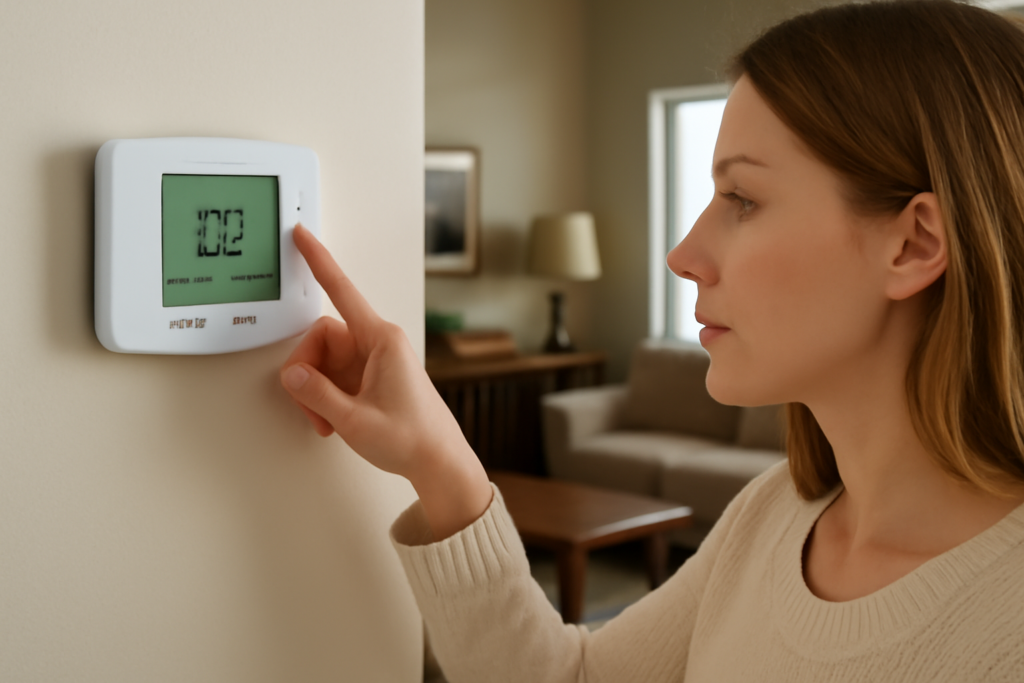
You glance at your thermostat, spot a setting labeled Em Heat, and wonder if you have been missing out on a warmer, cozier mode all winter. You have not, and switching to it by mistake can quietly double your heating bill. The Honeywell thermostat Em Heat setting stands for emergency heat, and it is a backup mode for heat pump systems, not an everyday comfort option. Understanding what it does, and the narrow situations where you actually want it, will keep your home warm and your energy costs in check.
- What Em Heat Actually Means
- Em Heat vs. Auxiliary Heat
- When You Should Use Em Heat
- When You Should Not Use It
- Reading Your Honeywell Display
- How to Switch Modes Correctly
- Why This Setting Exists at All
- How Much Does Em Heat Cost to Run?
- Troubleshooting: My Heat Pump Isn't Warming the House
- Smart and Programmable Honeywell Models
- The Bottom Line
What Em Heat Actually Means
Em Heat is short for emergency heat, and it only appears on thermostats connected to a heat pump system. A heat pump normally warms your home by pulling heat from the outside air, which is remarkably efficient. Em Heat bypasses that process entirely and forces the system to rely on its secondary, or auxiliary, heat source instead, usually electric resistance strips or a gas or oil furnace.
In other words, when you select Em Heat, you are telling the system to stop using the efficient heat pump and run only on backup heat. That backup exists for emergencies, hence the name.
Em Heat vs. Auxiliary Heat
People often confuse emergency heat with auxiliary heat, but they are triggered differently.
- Auxiliary (Aux) heat kicks in automatically when the heat pump cannot keep up on its own, such as on a very cold day. The heat pump and the backup run together, and the thermostat manages it for you.
- Emergency (Em) heat is a manual setting you choose deliberately. It shuts the heat pump off and runs only the backup heat until you switch it back.
The key distinction is control. Aux heat is an automatic assist. Em Heat is a full manual override that takes the efficient heat pump out of the equation.
When You Should Use Em Heat
Emergency heat has a real purpose, but a narrow one. Reach for it only when the heat pump itself is not working, such as:
- The outdoor unit is broken or malfunctioning, and you need heat while you wait for a repair.
- The outdoor unit is coated in ice that will not clear, or is buried in snow.
- The heat pump has failed and is blowing cold or no air.
In these cases, Em Heat keeps your home warm using the backup system until an HVAC technician can service the heat pump. Think of it as a temporary lifeline, not a season-long setting.
When You Should Not Use It
Here is the part that saves you money: do not use Em Heat routinely, and never turn to it just because it is cold outside. Your heat pump is designed to handle cold weather, and when it needs a boost, the auxiliary heat comes on automatically. You do not need to intervene.
Running Em Heat relies entirely on electric strip heat or your furnace, which is far more expensive to operate than the heat pump. Electric resistance heat, in particular, can cost roughly two to three times as much as running the heat pump. Leave the thermostat on Em Heat for a few weeks by accident, and the bill increase is dramatic and immediate.
Reading Your Honeywell Display
Most Honeywell thermostats make the current mode clear on the display. When Em Heat is active, you will typically see Emergency Heat, Em Heat, or a small indicator light. Some models show an auxiliary or backup heat indicator when aux heat is running automatically, which is normal and nothing to worry about. If you ever see Em Heat displayed and did not select it on purpose, switch the mode back to Heat so the heat pump resumes normal operation.
How to Switch Modes Correctly
On a Honeywell thermostat, changing the mode is straightforward, though the exact steps vary by model. Generally you press the System or Mode button and cycle through the options, which include Heat, Cool, Off, Auto, and Em Heat on heat pump systems. Select Heat for normal winter operation. Reserve Em Heat strictly for when the heat pump is down. On touchscreen and smart Honeywell models, you tap the system mode on the screen and choose from the menu.
Why This Setting Exists at All
It is fair to wonder why manufacturers include a mode that is so easy to misuse. The answer is genuine backup safety. If your heat pump fails in the middle of a cold snap, Em Heat guarantees you can still heat your home immediately without waiting for a service call. In regions with harsh winters, that redundancy matters. The setting is not a trap, just a tool meant for a specific emergency.
How Much Does Em Heat Cost to Run?
The cost difference is what makes accidental Em Heat so painful. A heat pump moves heat rather than generating it, delivering roughly three units of heat for every unit of electricity it uses. Electric resistance strip heat, the backup in most heat pump systems, generates heat directly at a one-to-one ratio, which makes it far less efficient.
In practical terms, running on emergency electric heat can cost roughly two to three times more than running the heat pump for the same warmth. Leave the thermostat set to Em Heat for a full month by mistake and the difference can add well over a hundred dollars to your bill, sometimes much more in a large or drafty home. That is why catching an accidental Em Heat setting quickly matters so much.
Troubleshooting: My Heat Pump Isn’t Warming the House
Before you reach for Em Heat, run through a quick checklist, since the problem is often minor:
- Check the thermostat mode. Confirm it is set to Heat and the temperature is set above the current room reading.
- Look at the outdoor unit. A light coating of frost is normal and the unit will defrost itself. Heavy ice or snow blocking the coil is not, and that is a valid reason to switch to Em Heat temporarily.
- Replace a dirty air filter. A clogged filter restricts airflow and hurts heating performance.
- Give it time on cold days. Heat pumps deliver warmth more gradually than a furnace, especially in very cold weather when aux heat assists.
If the heat pump is genuinely not producing heat and the outdoor unit seems dead or iced solid, that is when Em Heat earns its keep while you wait for service.
Smart and Programmable Honeywell Models
Newer Honeywell smart thermostats handle the heat pump logic automatically and will engage auxiliary heat on their own when needed, so you rarely have to think about it. Many display a small aux or backup indicator when that stage runs, which is normal and not the same as manually selecting Em Heat. If you have a smart model, you can usually check your usage history in the app, which makes it easy to spot if emergency or auxiliary heat has been running more than it should and driving up costs.
The Bottom Line
Treat the Honeywell thermostat Em Heat setting as your break-glass-in-case-of-emergency option. Keep the system on Heat for everyday warmth and let the thermostat manage auxiliary heat automatically when temperatures drop. Save Em Heat for the days your heat pump is actually broken or iced over, then switch it back the moment the system is repaired. Handle it that way and you get the safety net without the sticker shock on your next energy bill.