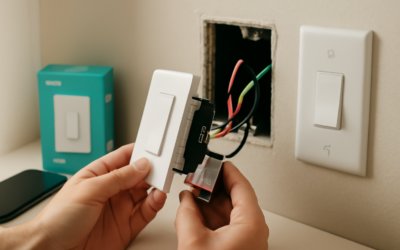
Most smart switches force you to replace the switch on your wall and often demand a neutral wire that older homes simply don’t have. A Shelly light switch takes a smarter approach: instead of a bulky faceplate, it uses a tiny relay module that hides inside your existing switch or fixture box, letting you keep the switches you already own while adding full app and voice control. That flexibility, plus local control that keeps working even when your internet goes down, has made Shelly a favorite among DIYers and smart-home enthusiasts who want reliability without a cloud dependency.
What Makes Shelly Different
Shelly, made by Allterco, builds Wi-Fi relay modules small enough to tuck behind a standard wall switch or inside a ceiling fixture’s junction box. Rather than swapping your decor-style switch for a proprietary one, you wire the Shelly relay in behind it. Your existing paddle or toggle still works manually, and now it’s also controllable from the Shelly app, Alexa, Google Home, or Apple Home.
The other standout feature is local control. Shelly devices expose a local web interface and API, and they run automations on the device itself. That means your lights respond instantly and keep working even if your Wi-Fi router loses its internet connection, unlike many cloud-only smart switches that go dumb during an outage. For anyone burned by a smart home that stops working when the ISP hiccups, this is a major selling point.
Popular Shelly Models for Lighting
Shelly makes a range of relays suited to different jobs. Knowing which fits your project prevents ordering the wrong module.
Shelly 1 and Shelly 1 Mini
The workhorse single-channel relay for switching one light circuit on and off. The Gen3 Mini is small enough to fit in almost any deep switch box. It’s the go-to for basic smart on/off control.
Shelly 1PM and 2PM
These add power metering so you can track exactly how much energy a fixture uses. The 2PM controls two circuits and is popular for controlling two lights or a light plus a fan from one box.
Shelly Dimmer
For dimmable fixtures, the Shelly Dimmer controls brightness and famously works without a neutral wire in many configurations, solving the biggest headache in older homes.
Shelly i4
Not a relay itself, the i4 turns dumb wall switches or buttons into smart scene triggers, useful for adding extra control points.
The No-Neutral Advantage
Here’s the problem that stops most smart-switch projects cold: homes wired before the 1980s often route only a hot and a switch leg to the switch box, with no neutral wire. Most smart switches need that neutral to power their electronics. The Shelly Dimmer2 and certain configurations of Shelly relays are designed to operate without a neutral, drawing the trickle of power they need through the load instead.
If your switch box has a neutral (a bundle of white wires), you have the most options and can use any Shelly model. If it doesn’t, reach for the Shelly Dimmer, which is engineered for exactly that situation. Always confirm your wiring before buying, because a no-neutral relay behaves differently from a standard one.
Basic Wiring Overview
Installing a Shelly is intermediate-level electrical work. If you’re comfortable working in a switch box with the breaker off, it’s very doable, but if house wiring makes you uneasy, hire an electrician. The general process for a Shelly 1 controlling a single light looks like this:
- Turn off the circuit at the breaker and confirm it’s dead with a voltage tester
- Remove the existing switch and identify the line (hot), load (to fixture), and neutral if present
- Wire the Shelly’s L and N terminals to line and neutral, the O (output) to the load
- Connect the switch terminals (SW and L) to your physical switch so it still functions manually
- Fold the compact module into the box behind the switch and reattach the faceplate
The exact terminals vary by model, and Shelly provides clear wiring diagrams for each. Because the module is so small, the tightest part is often just fitting everything back into a shallow box.
App Setup and Voice Control
Once wired and powered, the Shelly broadcasts its own Wi-Fi access point for initial setup. You connect to it from the Shelly Smart Control app, join it to your home Wi-Fi, and update the firmware. From there you name the device, assign it to a room, and it appears as a controllable light.
Integration is broad. Shelly works with Amazon Alexa, Google Home, and Apple HomeKit, plus advanced platforms like Home Assistant and openHAB through its local API and MQTT support. That local API is why power users love Shelly: you’re never locked into one ecosystem, and you can build automations that run entirely on your own network.
Automation Possibilities
The real payoff comes from automations. With a Shelly light switch you can set up scenarios like:
- Schedule porch lights to turn on at sunset and off at sunrise automatically
- Trigger lights based on motion when paired with a sensor
- Create scenes that set multiple lights at once for movie night or dinner
- Track energy use of specific fixtures with metering models
- Control lights remotely when you’re away for security
Because schedules and scenes can be stored on the device, many of these keep running even during an internet outage, which is a genuine reliability edge.
Cost and Value
Shelly modules are refreshingly affordable. A Shelly 1 Mini runs about $12 to $18, the 1PM around $20, and the Dimmer roughly $30 to $35. Compare that to $40 to $60 for many name-brand smart switches, and Shelly wins on price while adding local control and keeping your existing switch aesthetics. For a whole-home setup, the savings add up quickly, and you avoid replacing every faceplate to match.
The main cost consideration is your time and comfort with wiring. If you’d hire an electrician, budget $75 to $150 per device for installation, which narrows the price advantage but still leaves Shelly competitive and far more flexible.
Three-Way and Multi-Switch Setups
One question that comes up constantly is how to handle a light controlled by two or more switches, like a staircase or a hallway with a switch at each end. Shelly handles these three-way and four-way circuits, but the wiring approach differs from a single switch. In the most common method, you install one Shelly relay at the fixture or at one switch location to control the load, then use the second physical switch as an input signal to the Shelly’s SW terminal rather than as a separate power-switching device.
Alternatively, you can install a Shelly at each location and link them in the app so either one controls the light, which is handy when both boxes have power and neutral. Shelly’s documentation includes specific diagrams for two-way and three-way scenarios, and it’s worth reading the one that matches your exact wiring before you start. If your multi-switch wiring is unusual or you’re not certain which wire is the traveler, this is a good point to bring in an electrician, since miswiring a three-way circuit is a common source of frustration.
Reliability and Local Control in Practice
The feature Shelly owners praise most after living with the devices is how dependable they are day to day. Because automations and schedules execute on the device itself rather than in the cloud, a light set to come on at sunset still fires even if your internet is down, and pressing the physical switch always works instantly regardless of network status. That local-first behavior is a genuine differentiator from cloud-dependent smart switches that lag or fail during an outage.
For the technically inclined, Shelly’s open local API and MQTT support mean you can integrate the devices into Home Assistant and run an entire smart home with no cloud account at all, which appeals to privacy-conscious users. Even if you never touch the API, that openness is your insurance policy: if a manufacturer’s cloud service ever shuts down, your Shelly devices keep working on your own network, which is not something you can say about every smart-home brand.
Is a Shelly Right for You?
A Shelly light switch is the smart pick when you want to add intelligence to your lighting without gutting your switches, when your home lacks neutral wires, or when you value local control that survives internet outages. It rewards a bit of technical comfort with unmatched flexibility and low cost. If you’d rather have a plug-and-play smart switch with no wiring at all, a standard smart switch may suit you better, but for reliability, value, and keeping the look of your existing wall plates, Shelly is hard to beat.