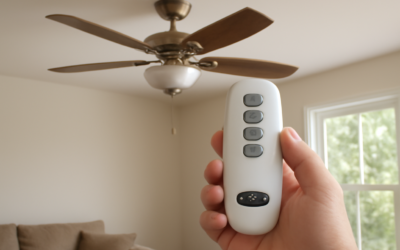
Bought a Harbor Breeze fan without a light and now wish you had one — or had a light kit quit on you? A Harbor Breeze ceiling fan light kit is one of the easiest upgrades to add or swap, but the catch that trips people up is compatibility. Harbor Breeze is Lowe’s house brand, and its fans use specific mounting and wiring designs, so the wrong kit simply will not fit. This guide walks through matching a kit to your fan, wiring it safely, and troubleshooting the light problems owners run into most.
Understanding Harbor Breeze Light Kit Compatibility
Not every light kit fits every fan. Harbor Breeze fans generally fall into a few mounting styles, and the light kit has to match your fan’s design and the electrical connector under the switch housing. Before you buy anything, do three things:
- Find your model number. It is on a label inside the battery/receiver compartment, on the mounting bracket, or on the original box and manual.
- Confirm the fan is “light adaptable.” Many Harbor Breeze fans ship light-ready with a capped wiring plug tucked in the switch housing. If yours has that plug, adding a kit is straightforward.
- Match the kit to the model. Lowe’s and Harbor Breeze list compatible light kits by fan model. A universal kit may work, but a model-specific kit guarantees the fit and finish match.
The Wiring Plug Is the Key Detail
Here is the single most useful thing to know: most Harbor Breeze fans use a keyed wiring plug (often blue for the light circuit) hidden inside the lower switch housing. If your fan was sold as light-adaptable, that plug is already there waiting. Adding a light becomes a plug-and-mount job rather than a splicing job. If there is no plug and no light wiring, retrofitting is far more involved and often not worth it — buying a fan that already supports lighting makes more sense.
Bulb Types and What They Accept
Harbor Breeze light kits use a mix of bulb standards depending on age and model:
- Candelabra base (E12): common in older and decorative kits, usually 40-watt max per socket. Swap the incandescent for an LED candelabra bulb to run cooler and last longer.
- Medium base (E26): standard household bulbs in some kits, typically capped at 60 watts or the LED equivalent.
- Integrated LED: newer kits have a sealed LED panel with no replaceable bulb — when it fails, you replace the whole light module.
Always respect the printed wattage limit on the kit. Overlamping generates heat that can damage the fixture and discolor the glass.
How to Install a Harbor Breeze Light Kit
For a light-adaptable fan with the wiring plug already present, expect a 15- to 20-minute job:
- Turn off the wall switch and the breaker feeding the fan. Verify power is off.
- Remove the cap or cover plate on the bottom of the fan’s switch housing.
- Locate the capped wiring plug inside. Remove the cap.
- Connect the light kit’s plug to the fan’s plug — they are keyed to only fit one way.
- Feed the light kit up against the housing and secure it with the provided screws or the twist-lock collar.
- Install bulbs (within the wattage rating), attach the glass shade, and restore power.
If your fan uses a slide-on glass with three thumbscrews, snug them just until they hold — overtightening cracks the glass.
Common Problems and Fixes
Light Won’t Turn On
Start simple: check the bulbs and the wall switch. If your fan uses a pull chain for the light, confirm the chain is not broken internally. For remote-controlled fans, the light circuit runs through the receiver — a dead receiver or a mispaired remote leaves the fan spinning but the light dark. Re-pair the remote per the manual and check the dip-switch codes match between remote and receiver.
Light Flickers or Buzzes
Flickering with LED bulbs on a dimmer usually means the dimmer is not LED-rated — most Harbor Breeze fans are not meant to run on a wall dimmer at all, and doing so damages the receiver. Use a standard switch or the fan’s remote for dimming. A loose bulb or a corroded socket contact also causes flicker; reseat the bulb and inspect the socket.
Pull Chain Broke
A snapped chain is a common, cheap fix. Replacement pull-chain switches are a couple of dollars, but you must match the switch’s number of positions and wire configuration. With power off, open the switch housing, note the wire positions, and transfer them to the new switch one at a time.
Where to Buy Replacement Kits
Because Harbor Breeze is a Lowe’s exclusive, start there for model-matched kits and parts — Lowe’s carries current kits and can often reference compatibility by fan model. For discontinued fans, universal light kits from ceiling-fan parts suppliers sometimes fit, but verify the mounting style and connector first. Keep your original manual; it lists the exact compatible kit part numbers and saves a lot of guesswork.
Should You Add a Light or Replace the Fan?
If your fan is light-adaptable and in good shape, adding a Harbor Breeze ceiling fan light kit for $20 to $50 is an easy win. But if the fan is old, wobbling, or lacks any light wiring, factor the cost and effort against a new light-included fan that often runs $80 to $150. For a solid, recent fan that simply shipped without a light, the kit is absolutely worth it — a quick, low-cost way to turn a plain fan into a full lighting fixture.