Smart locks keep getting smarter, and the lockly visage zeno series smart lock pushes into biometric territory with 3D facial recognition alongside fingerprint, code, and app entry. This guide breaks down how it works, its security features, installation, battery life, and what to know before you buy.
- What Makes the Visage Zeno Different
- Multiple Ways to Unlock
- How the Facial Recognition Works
- The Anti-Peek Keypad
- Security and Encryption
- App Control and Access Management
- Connectivity and Hubs
- Installation Overview
- Battery Life and Power
- Enrolling Users Correctly
- Troubleshooting
- Privacy Considerations with Facial Recognition
- Weather and Outdoor Durability
- Ideal Households for This Lock
- Is It Worth It?
- Final Thoughts
What Makes the Visage Zeno Different
The headline feature is contactless 3D facial recognition. Instead of touching the lock, an enrolled user simply approaches and the lock reads their face to unlock, similar to how a modern smartphone works. Lockly builds this on top of its established fingerprint and PIN technology, so you get multiple ways in rather than betting everything on one method. The Zeno series packages this into a full smart deadbolt with app connectivity.
Multiple Ways to Unlock
Redundancy is the point of a good smart lock, and this model offers several entry paths:
- 3D facial recognition for hands-free entry as you approach the door.
- Fingerprint scanning through a biometric sensor for fast touch entry.
- PIN code on the keypad, using Lockly’s shuffling digit layout to defeat smudge attacks.
- The Lockly app for remote unlocking and access management.
- A physical backup key for emergencies when power or electronics fail.
How the Facial Recognition Works
The 3D facial recognition uses a depth-sensing camera system rather than a flat 2D image, which makes it far harder to fool with a printed photo. During enrollment you register your face from a few angles so the lock recognizes you in different lighting and positions. Because it reads depth, it performs in low light and distinguishes a real face from a picture. Enrolled data is stored on the lock itself rather than uploaded, which addresses a common privacy concern with camera-based systems.
The Anti-Peek Keypad
Lockly’s signature security feature is the PIN Genie keypad. Instead of fixed number positions, the digits shuffle their locations on the touchscreen each time. Numbers are grouped so the same code can be entered by pressing different buttons, which means someone watching over your shoulder or lifting fingerprints from the glass cannot deduce your code. It is a clever defense against the most common way physical codes get stolen.
Security and Encryption
Beyond biometrics, the lock uses encrypted communication between the lock, app, and any hub. The deadbolt hardware itself carries a security grade suitable for residential exterior doors. Features like an auto-lock timer, a tamper alarm, and access logs add layers of protection. The access log records who entered and when, which is valuable for households with kids, guests, or service providers.
App Control and Access Management
The Lockly app is the command center. From it you can lock and unlock remotely, enroll and remove users, issue temporary or scheduled access codes, and review the entry history. Time-limited codes are perfect for a dog walker, cleaner, or Airbnb guest, since you can grant access only for specific hours or days and revoke it instantly. Offline access codes let you share entry even when you are not near the lock.
Connectivity and Hubs
Smart locks vary in how they connect. Many Lockly models use Bluetooth for direct phone control and add Wi-Fi through a bridge or hub for true remote access from anywhere. Check the specific Zeno package for whether Wi-Fi is built in or requires the Lockly hub. With a hub connected, you gain remote unlocking, real-time notifications, and voice assistant integration through Alexa and Google Assistant.
Installation Overview
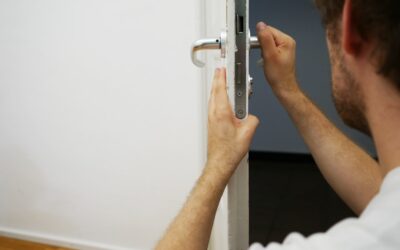
Most Lockly deadbolts install with a screwdriver and fit standard door prep, a 2-1/8 inch bore hole with a 1-inch edge bore, on doors roughly 1-3/8 to 1-3/4 inches thick. Plan on 30 to 45 minutes.
- Remove your existing deadbolt, including the latch and strike plate.
- Install the new latch bolt into the edge of the door, matching the backset.
- Mount the exterior keypad and biometric assembly, threading the cable through the bore.
- Attach the interior unit, connect the cable, and secure it with the through-bolts.
- Install the batteries, then run the on-door calibration so the lock learns the bolt travel.
- Pair the lock to the app and enroll faces, fingerprints, and codes.
Battery Life and Power
The Visage Zeno runs on replaceable batteries, and biometric locks with cameras draw more power than a simple keypad lock. Expect several months of life depending on usage and how often facial recognition activates. The app warns you as the battery gets low, and most Lockly locks include emergency power contacts, often a USB or 9V terminal, so you can jump the lock and still get in if the batteries die completely. Always keep the physical backup key somewhere safe outside the house too.
Enrolling Users Correctly
Good enrollment makes the difference between a lock that just works and one that frustrates. For facial recognition, enroll each person in good lighting and let them register the natural angles they approach the door from. For fingerprints, scan the same finger several times and consider enrolling a second finger as backup. Give each household member their own profile so the access log stays meaningful.
Troubleshooting
- Face not recognized: re-enroll in better light and make sure the sensor lens is clean.
- Fingerprint fails: dry or damaged fingers read poorly; re-enroll and add a backup finger.
- Lock jams or misaligns: rerun calibration and check that the door and strike plate align properly.
- App won’t connect: confirm Bluetooth is on, or check the hub’s Wi-Fi if using remote access.
- Battery drains fast: heavy facial-recognition use and cold weather shorten life; use lithium cells if recommended.
Privacy Considerations with Facial Recognition
Any camera-based lock raises reasonable privacy questions, and it is worth understanding how the Visage handles them. The facial-recognition data is processed and stored locally on the lock rather than uploaded to the cloud, which limits exposure. The system is designed to unlock only for enrolled faces, and the depth-sensing hardware distinguishes a live face from a photograph. If privacy is a priority, review the enrollment and data settings during setup, keep the lock’s firmware updated, and use strong, unique credentials for the Lockly account that manages remote access.
Weather and Outdoor Durability
Since the exterior half of the lock lives outdoors, weather resistance matters. Lockly deadbolts are built to withstand normal outdoor exposure, but a covered porch or storm door extends the life of any electronic lock by shielding it from driving rain, direct sun, and temperature extremes. Cold weather in particular shortens battery life and can slow biometric sensors, so in harsh climates plan to replace batteries a little more often and keep the sensor lens clean of ice and grime for reliable facial and fingerprint reads.
Ideal Households for This Lock
The Visage Zeno suits busy families who value hands-free entry, homeowners who frequently grant temporary access to guests or service providers, and anyone who has been locked out and never wants to fumble for keys again. Its layered entry methods mean a dead battery, a wet finger, or a forgotten phone never leaves you stranded, since another method always works. If you want the most convenient possible front-door experience and are willing to pay a premium for biometric technology, this lock delivers.
Is It Worth It?
Biometric locks with 3D facial recognition sit at the premium end of the smart-lock market, so this is an investment compared to a basic keypad deadbolt. The value lies in genuinely hands-free entry, strong anti-snooping design, and layered backups. If you carry groceries, kids, or bags through your door daily and want convenience without sacrificing security, the extra cost buys real everyday benefit.
Final Thoughts
The lockly visage zeno series smart lock combines 3D facial recognition, fingerprint entry, an anti-peek shuffling keypad, and app-based access control into a well-rounded package. Install it on a properly prepped door, enroll users carefully, keep a backup key and fresh batteries, and you get a lock that opens as you walk up while still standing up to the tricks people use to defeat ordinary keypads and keys.